
Falcon Effects Pro
The Falcon Effects plugin adds animations and effects to the Falcon Builder: text that reveals itself as the page scrolls, sections that move, borders that light up, buttons and pictures that react to the mouse, particle and animated backgrounds, and a 3D view for pictures and shop products. It ships with FalconCMS Pro and needs FalconCMS 2.8.8 or later. Activate it under Plugins.
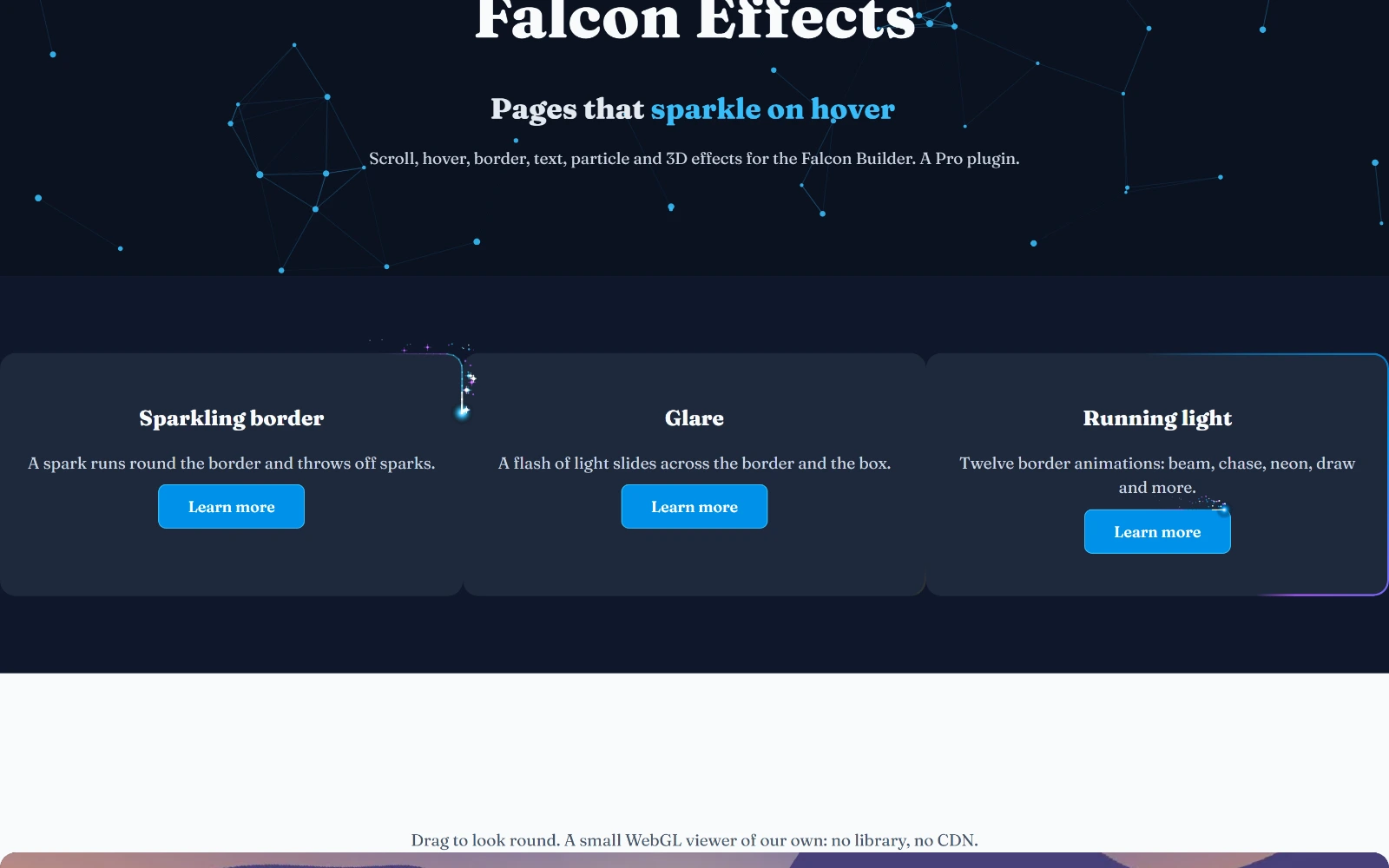
You can see every effect on this page working on the demo: demo.falconcms.com/effects-showcase.
Where the settings are
Most effects live in the Extra tab of what they change: a container, a column (nested columns too) or an element. Turn one on with its switch and its settings appear underneath. The rest are elements of their own in the Elements panel.
Every effect follows the same four rules:
- Its script loads only where it is used. A page with no effect gets no extra script.
- It respects "less motion". A visitor whose device asks for less motion sees the content still, with nothing hidden.
- It can be switched per device. Most effects can run on every device, on desktop and tablet, or on desktop only.
- It shows in the builder. The canvas plays the effect while you edit.
The effects
| Group | Effects |
|---|---|
| Scroll | Scroll Reveal (color fill, fade, blur, rise, drop, grow, shrink, by letter or word), Scroll Motion (move, turn, size, opacity and blur, with ready-made parallax), Scroll Separator, Scroll Image (curtain reveals and zoom), Horizontal Scroll, Sticky Scroll Story, Stacking Cards, Scroll Color Change, Line Draw, a Counter and a Video that follow the scroll |
| Mouse | Mouse Tilt (with glare), Magnetic buttons, Spotlight, Image Trail, Water Ripple, Button hover packs (shine, fill, glow, ripple, confetti) and Image hover packs (zoom, grey to colour, caption, a second picture revealed) |
| Borders | Border Animation, twelve styles: running light, turning gradient, draws itself around, marching ants, glow pulse, neon flicker, corner brackets, two chasing lights, shifting color, sweep on hover, sparkling and glare |
| Backgrounds | Animated Background, Particles (constellation, snow, fireflies, dot grid and more) |
| Text | Typewriter, Split Text, Text Scramble, Highlight Draw (circle, underline, marker…), text styles (gradient sweep, glitch, 3D word rotate) |
| Entrances | Entrance Plus: flips, blur-in, wipes, a circle reveal and staggered contents |
| Elements | Reading Progress, Before / After, Page Effects (smooth scroll, page transitions, preloader, custom cursor), Lottie Animation, Flip Card, Text Along Path, 3D Image View |
Border Animation
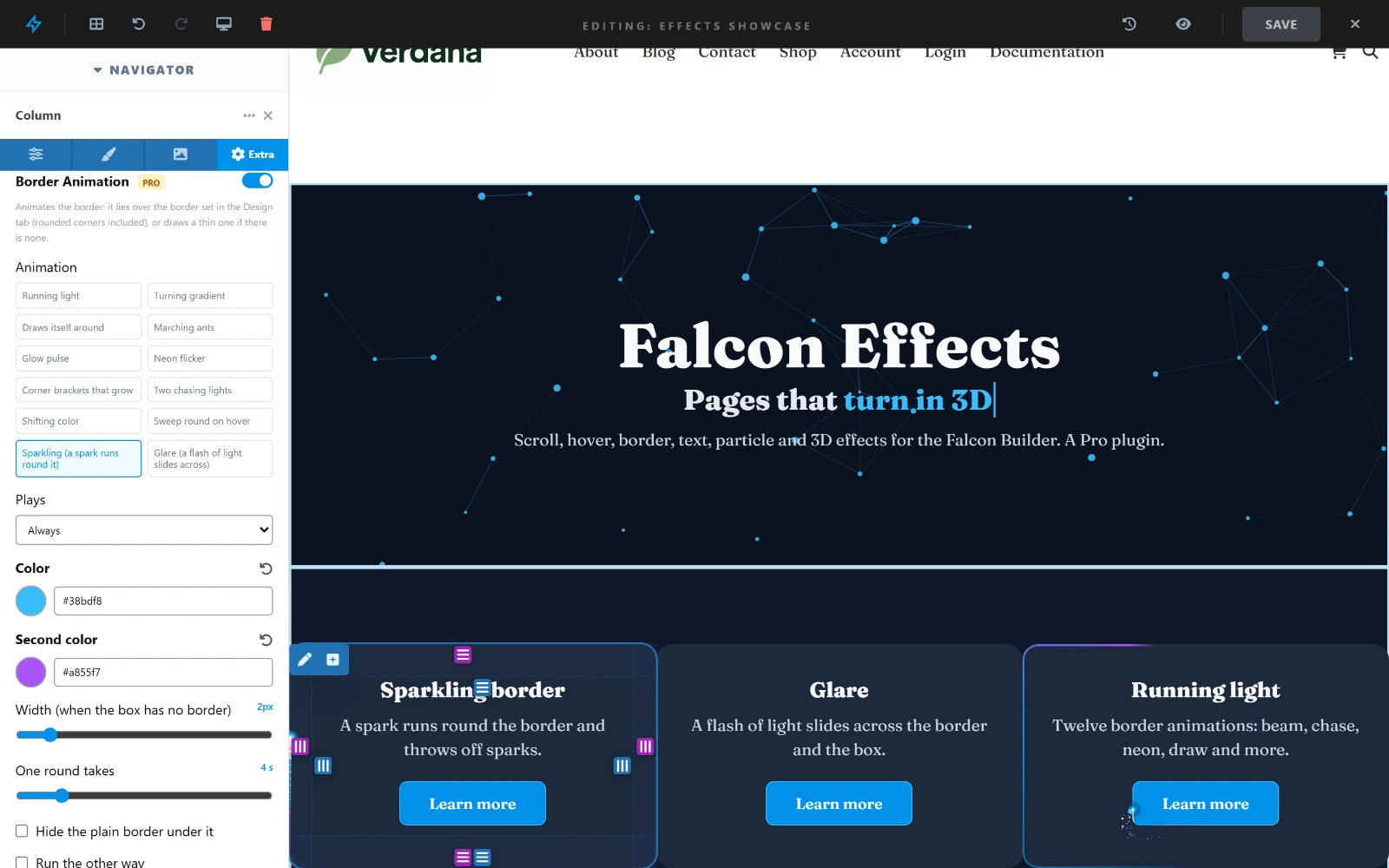
Extra → Border Animation animates the border of a container, a column or an element, such as a button or an image. The animation follows the box's own border and rounded corners, or draws a thin one when the box has none. Choose one of the twelve styles, when it plays (always, on hover, or from when it comes on screen), one to three colours, its width and how long one round takes.
- Sparkling — a spark runs round the border with a short tail, throwing off sparks as it goes.
- Glare — a flash of light slides across the border, and faintly across the box.
- Hide the plain border under it leaves only the animation; Run the other way turns it round.
3D Image View
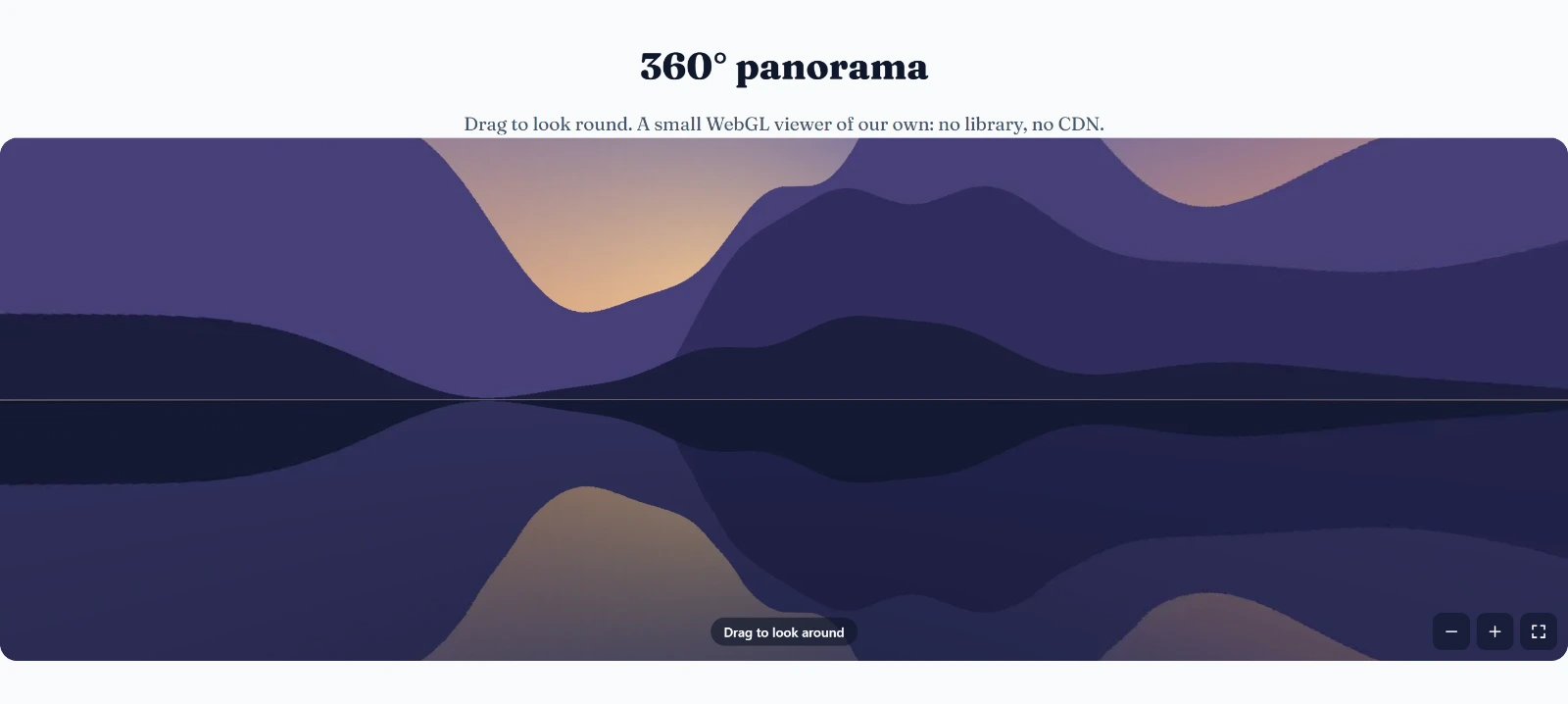
The 3D Image View element shows a picture in 3D, two ways:
- 360° panorama — a panorama photo (a phone's Panorama or Photo Sphere, or a 360 camera's picture, twice as wide as it is high) put all round the viewer. Visitors drag to look around, zoom with the buttons and open it full screen. It is drawn by a small WebGL viewer of our own: no library and no CDN.
- 3D photo — any picture as a card with a thickness, a back and edges. Visitors drag it all the way round, or it leans towards the mouse.
Either can turn by itself. It stops while someone drags it, and while it is off screen. Without WebGL, the picture is shown flat.
3D / 360° view for shop products
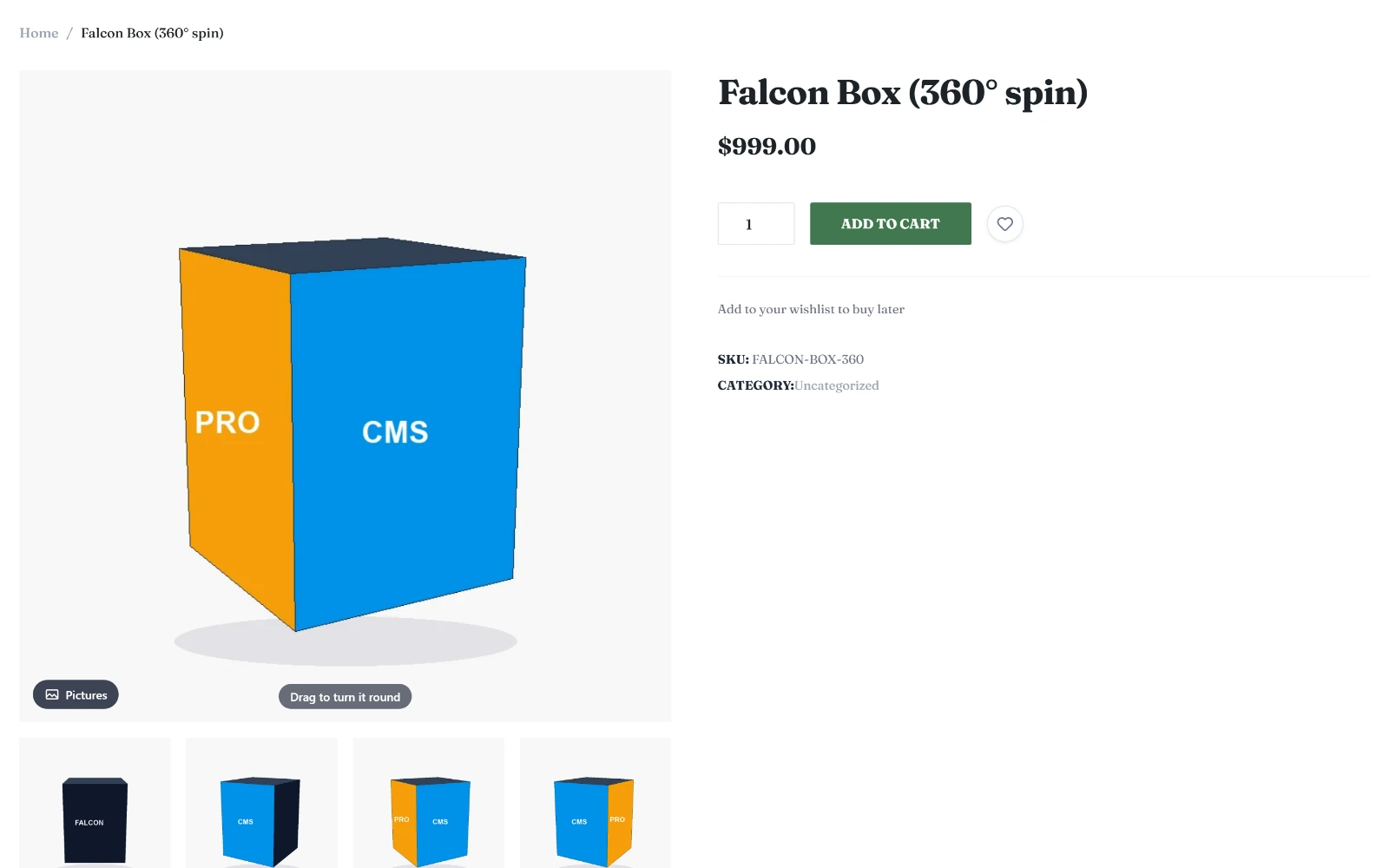
With the shop on, the product editor gets a 3D / 360° View tab. The product page then shows a 360° button on the main picture and a 360° tile after the gallery thumbnails. Either one puts the view in the picture's place, and any other thumbnail brings the picture back.
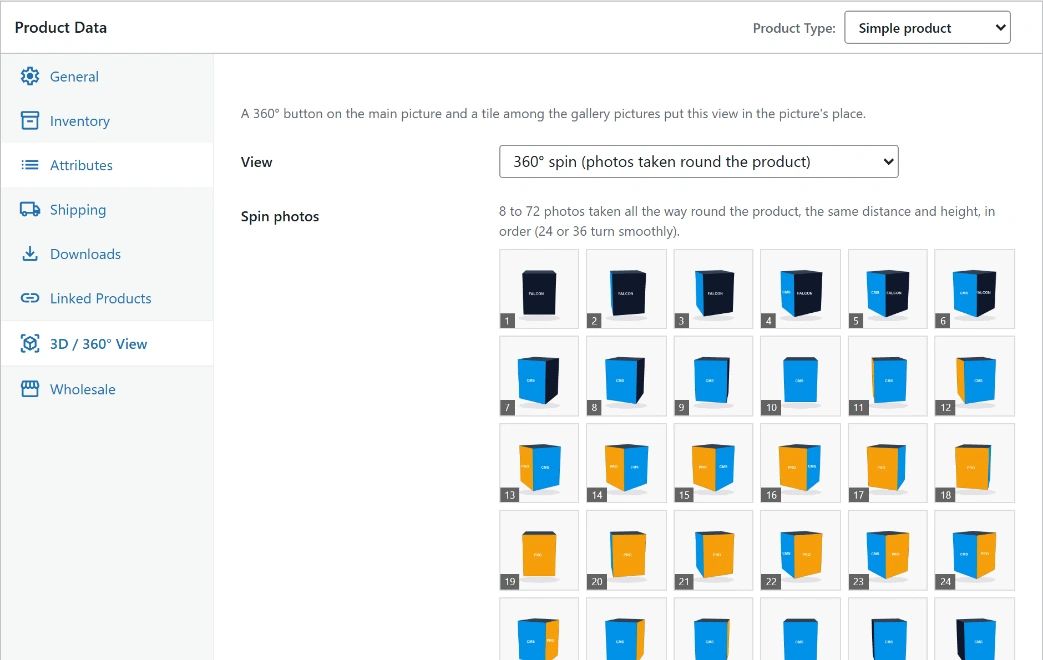
- 360° spin — 8 to 72 photos taken all the way round the product, at the same distance and height and in order (24 or 36 turn smoothly). Dragging runs through them, so the product turns. Sort by file name puts them in order; Turn the other way when dragged fits photos taken the other way round.
- 360° panorama — for a room, a car's inside or a shop: a place to look round in.
- 3D photo — the product picture as a 3D card, turned all the way round.
Shown first chooses whether the page opens on the product picture or on the view.
Without a licence
Without a Pro licence, the settings stay in place but nothing reaches the page: the content shows as it would without the effect, and a product page shows its pictures only.