
Introduction
FalconCMS is a full-featured, WordPress-inspired CMS package for Laravel. Drop it into any Laravel app and get a complete admin dashboard with a drag-and-drop page builder, e-commerce, multi-language support, and much more — in minutes.
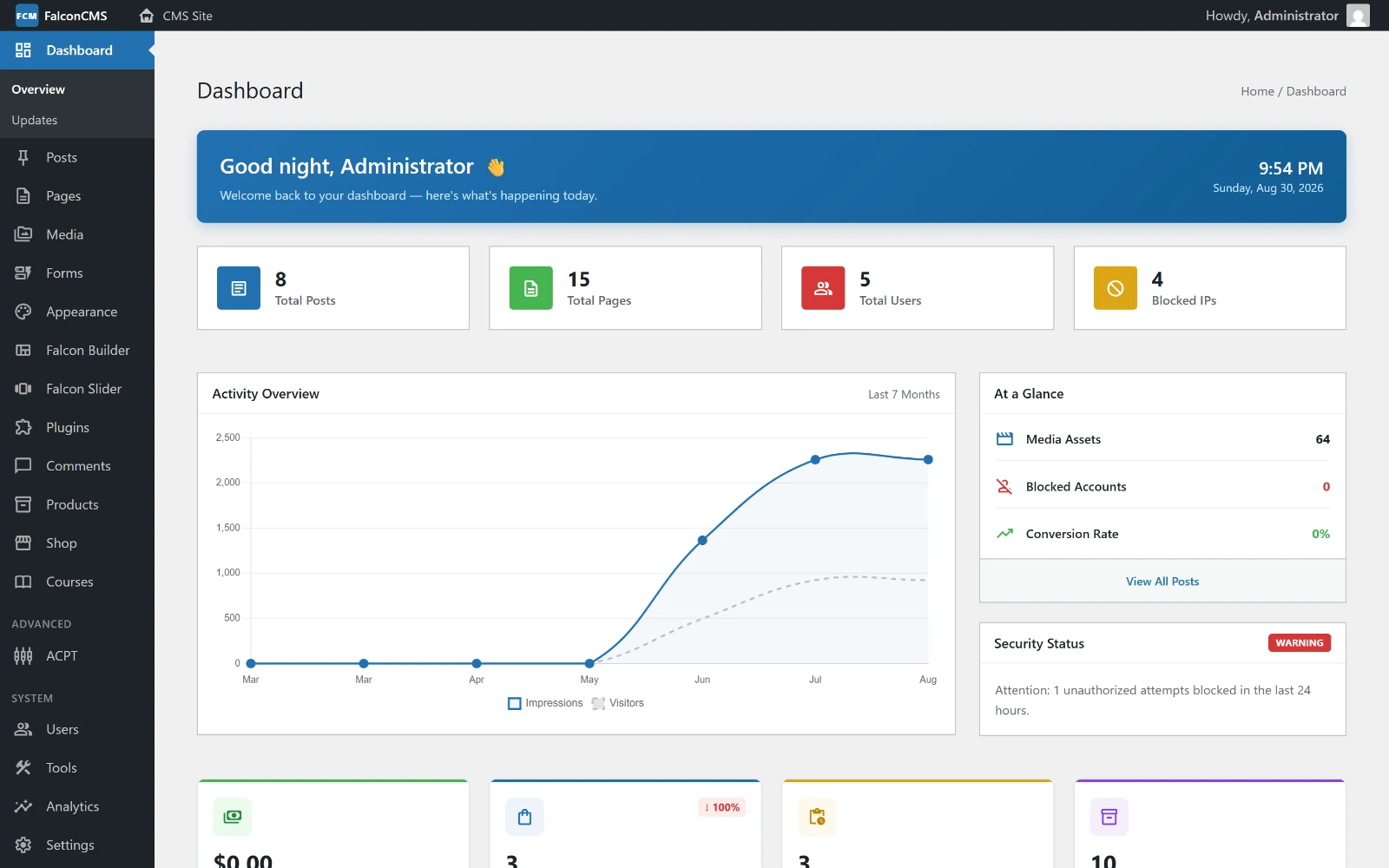
This is what php artisan falcon:install leaves you with. Everything below is reachable from that sidebar — and you can click through it yourself on the live demo.
Why FalconCMS?
Most Laravel CMS solutions are either too simple or require you to rebuild everything from scratch. FalconCMS gives you a production-ready foundation:
- No separate installation — it's a Composer package, lives inside your Laravel app
- Full admin dashboard — pages, posts, custom post types, menus, media, users, settings
- Falcon Builder — a visual drag-and-drop page builder (think Elementor, but for Laravel)
- E-commerce ready — shop, cart, checkout, orders, coupons out of the box
- Extensible — WordPress-like hooks let you customize everything without modifying core files
- Plugins — drop-in plugins add features, admin pages and settings; install one by dragging a
.zip
Requirements
| Requirement | Version |
|---|---|
| PHP | 8.3+ |
| Laravel | 13+ |
| Database | MySQL 5.7+ (recommended) or MariaDB 10.3+ |
Database support
MySQL / MariaDB are the only fully supported databases (MySQL 8+ recommended for production). SQLite is not recommended — it only partially works and some features depend on MySQL-specific behaviour. PostgreSQL and SQL Server are not supported.
Quick Start
# 1. Install the package
composer require falconcms/falconcms

# 2. Run the installer
php artisan falcon:install
That's it. The installer prints your login URL when it finishes — /falcon-admin on a fresh install, not /admin, which returns 404 to anyone who is not signed in.
Default credentials
After installation, use the credentials shown in your terminal output to log in.
What's Included
Admin Dashboard
A clean, fast admin interface for managing all your content, settings, and users.
Falcon Builder (Page Builder)
Visual drag-and-drop builder with:
- Containers with responsive column layouts
- 22 built-in element types
- Device-specific visibility controls
- Global Sections (reusable across pages)
- Container & Column Library (save and reuse your designs)
E-commerce
Complete shop system including products, variable products, cart, checkout, order management, and coupons.
Content Management
- Pages, Posts, Custom Post Types
- Categories, Tags, Custom Taxonomies
- Revisions & Autosave
- Media Library
- SEO meta fields
Developer Tools
- WordPress-like Action & Filter hooks
- Template tags
- CLI commands
- REST API (headless mode)