
E-commerce Overview
Falcon CMS includes a complete e-commerce system built directly into the package — no extra plugins needed.
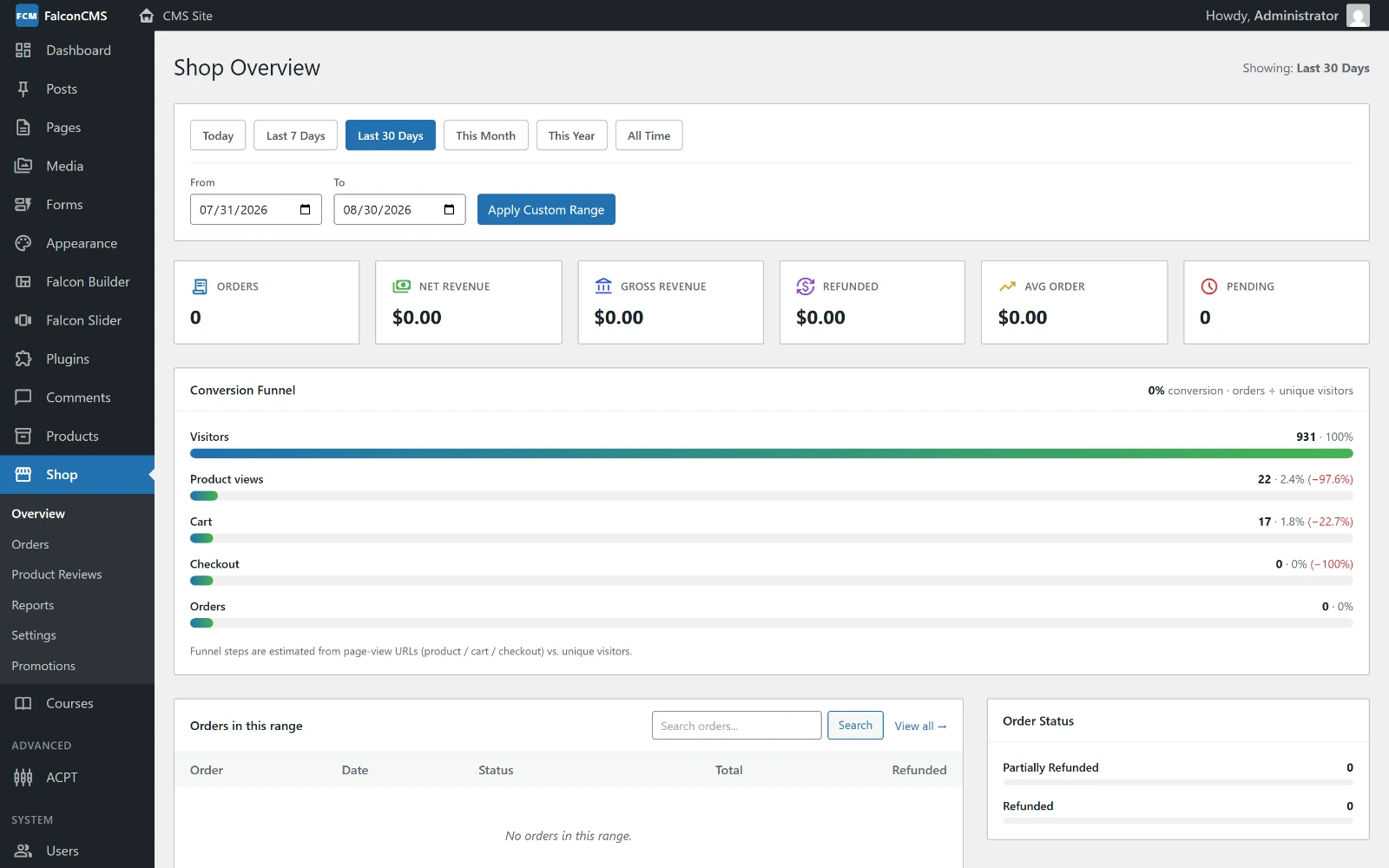
Revenue, order counts and conversion, with the order-status breakdown — Admin → Shop → Overview.
Free in the core
As of v2.2, the full e-commerce system is part of the free core — no Pro license required. Build and run a complete store on any FalconCMS site.
Features
- Products with images, pricing, inventory, SKU, weight and dimensions
- Variable products — size, colour and custom options, priced per variation
- Product Categories & Tags — dedicated, first-class taxonomy
- Shop filters — search, price range, category, attributes, stock and sale
- Shopping cart — session-based, persistent, prices re-checked against the catalogue
- Coupon codes — four types, see Coupons
- Promotions — buy-one-get-one and similar automatic offers, see Promotions
- Shipping — flat rate, zones, and rates banded by quantity or weight
- Tax — per-country rates, inclusive or exclusive pricing
- Checkout — guest or registered customer, with a saved address book
- Multiple payment gateways — PayPal, Stripe, SSLCommerz, bank transfer
- Order management — status workflow, invoices, refunds
- Product reviews with moderation
- Wishlist
- Order tracking — customers track by order number + email
- Structured data — schema.org product markup for search results
Setup Checklist
Create pages — Falcon CMS auto-creates Shop, Cart, Checkout, and Account pages during
falcon:install. If missing, create them and assign in settings.Configure Shop Settings — Go to Admin → Shop → Settings:
- Currency and format
- Tax rate
- Shipping method and rate
- Payment gateways
Add Products — Admin → Products → Add New
Test checkout — Add a product to cart and complete a test order
Shop Settings
Navigate to Admin → Shop → Settings:
Settings are grouped into tabs. The common ones:
| Tab | Setting | Description |
|---|---|---|
| General | Currency | USD, EUR, BDT, GBP, etc. |
| General | Currency position | Before or after the amount |
| General | Decimal places | Price formatting (e.g. 2 → $10.00) |
| General | Shop / Cart / Checkout / Account page | Which page serves each role |
| General | Enable taxes | Master switch for the whole tax engine |
| Products | Manage stock | Track quantities shop-wide |
| Products | Out of stock threshold | At or below this, a product reads as sold out |
| Shipping | Flat rate, zones, free-shipping threshold | See Shipping & Tax |
| Tax | Rates, price entry, display | See Shipping & Tax |
| Coupons | Enable coupons, stacking policy | See Coupons |
| Checkout | Guest checkout, force login | Who may place an order |
TIP
Shipping and tax are more capable than a single rate — zones, per-country tax and inclusive/exclusive pricing each have their own page.
Payment Gateways
PayPal
- Go to Admin → Settings → Integrations
- Enable PayPal
- Enter Client ID and Secret (from PayPal Developer Dashboard)
- Select Sandbox / Live mode
Stripe
- Enable Stripe in Integrations settings
- Enter Public Key and Secret Key (from Stripe Dashboard)
SSLCommerz (South Asia)
- Enable SSLCommerz
- Enter Store ID and Signature Key
Shop Dashboard
Admin → Shop → Overview shows:
- Total Orders
- Net Revenue (gross minus refunds)
- Gross Revenue
- Total Refunded
- Average Order Value
- Order status breakdown chart
All stats are filterable by: Today, Last 7 days, Last 30 days, This month, This year, All time, Custom range.