
Orders
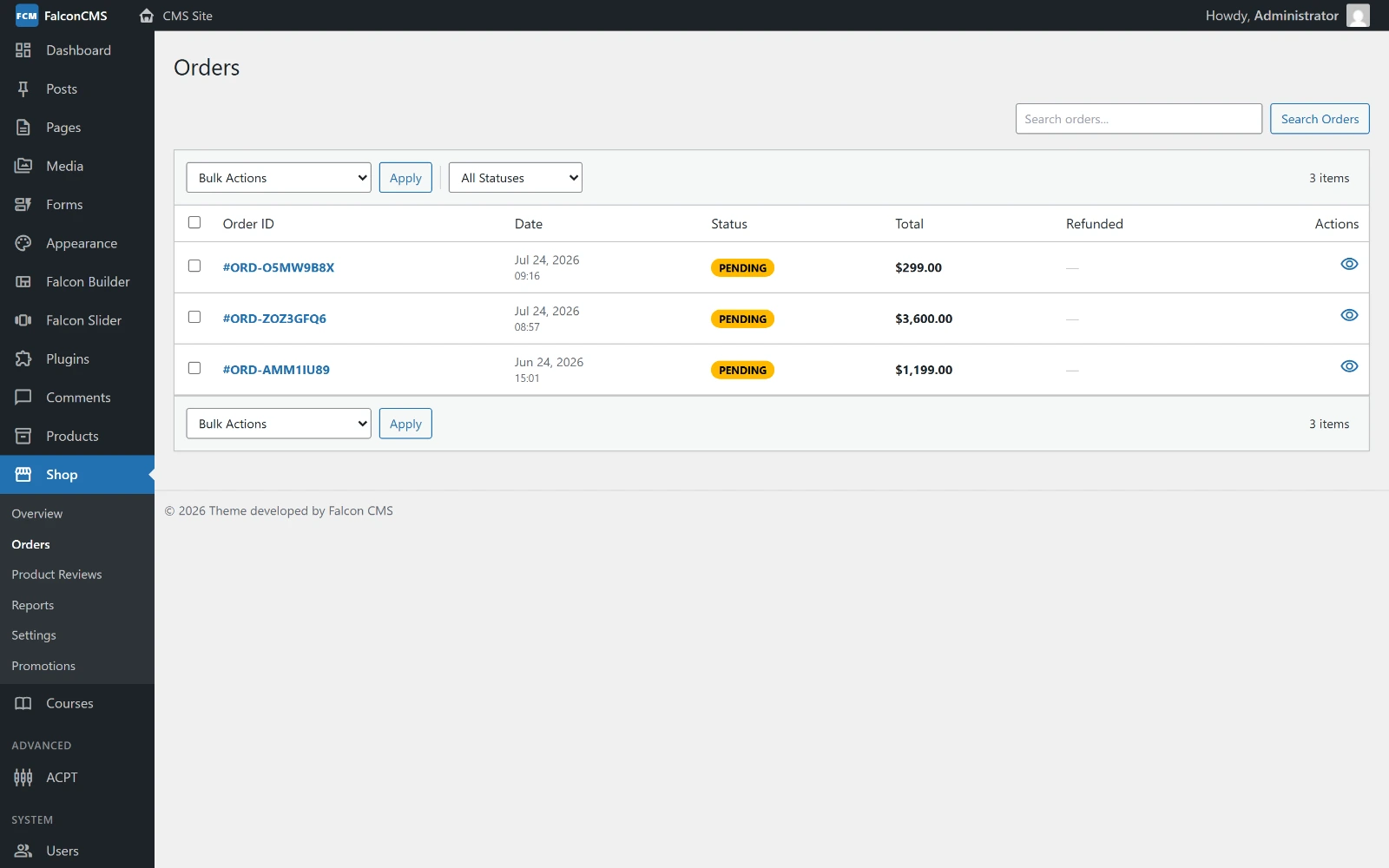
Every order with its code, total, payment method and status — Admin → Shop → Orders.
Order Lifecycle
Cart → Checkout → Pending → Processing → Completed
                     ↓
                  Failed / Cancelled
                     ↓
                  Refunded / Partially Refunded
Order Statuses
| Status | Description |
|---|---|
pending | Order placed, payment not yet confirmed |
processing | Payment received, being prepared |
completed | Fulfilled and delivered |
failed | Payment failed |
cancelled | Cancelled by admin or customer |
refunded | Fully refunded |
partially-refunded | Partially refunded |
Managing Orders
Go to Admin → Shop → Orders:
- Filter by status, search by order number, customer name, or email
- Click an order to view full details
Order Detail View
- Order summary — Items, quantities, prices, totals
- Customer info — Name, email, billing address, shipping address
- Status history — Timeline of all status changes with timestamps and notes
- Invoice — Generate printable invoice
Changing Order Status
- Open an order
- Select new status from dropdown
- Optionally add a note
- Click Update Status
Status changes are logged automatically in the order timeline.
Bulk Actions
From the orders list, select multiple orders and apply:
- Change status
- Delete
- Export
Processing Refunds
- Open the order
- Click Refund
- Enter refund amount (partial or full)
- Add a note (optional)
- Confirm
Refunds are tracked in refund_log. The refunded_amount field tracks total refunded. Net revenue is calculated as gross - refunded.
Invoices
Click View Invoice on any order to open a printable invoice page. Includes:
- Order number, date
- Customer billing details
- Line items with quantities and prices
- Tax and shipping breakdown
- Total paid
Order Tracking (Frontend)
Customers can track orders without logging in:
- Visit
/{checkout-page-slug}/track-order - Enter Order Number + Email
- See current status and history
Order Model
php
use Acme\CmsDashboard\Models\Order;

// Get all orders
$orders = Order::with('items', 'user')->latest()->paginate(20);

// Get a specific order
$order = Order::where('order_number', 'ORD-0001')->first();

// Access order data
$order->status;
$order->items;                    // OrderItem collection
$order->meta['billing_address'];  // Billing details
$order->statusHistory;            // Timeline events

// Update status programmatically
$order->update(['status' => 'completed']);
$order->logStatus('completed', 'Shipped via DHL');