
Shipping & Tax
Both live under Admin → Shop → Settings, on their own tabs.
Shipping
Flat rate
The simplest setup: one cost for every order, set under Shipping → Flat rate. It applies whenever no zone matches the customer's country.
Free shipping threshold
Shipping → Free shipping threshold makes shipping free once the cart subtotal reaches an amount. Set it to 0 to switch it off. Zones can carry their own threshold, which takes precedence for customers in that zone.
Local pickup
Enable it and Local pickup appears at checkout at no cost, alongside delivery.
Shipping zones
A zone is a group of countries with their own rates. For each zone you set:
| Field | Meaning |
|---|---|
| Name | Shown to the customer as the shipping method label |
| Countries | Which countries the zone covers |
| Base shipping cost | Charged when no band matches |
| Free shipping threshold | Free above this subtotal, for this zone only |
| Calculation type | Flat rate, quantity based, or weight based |
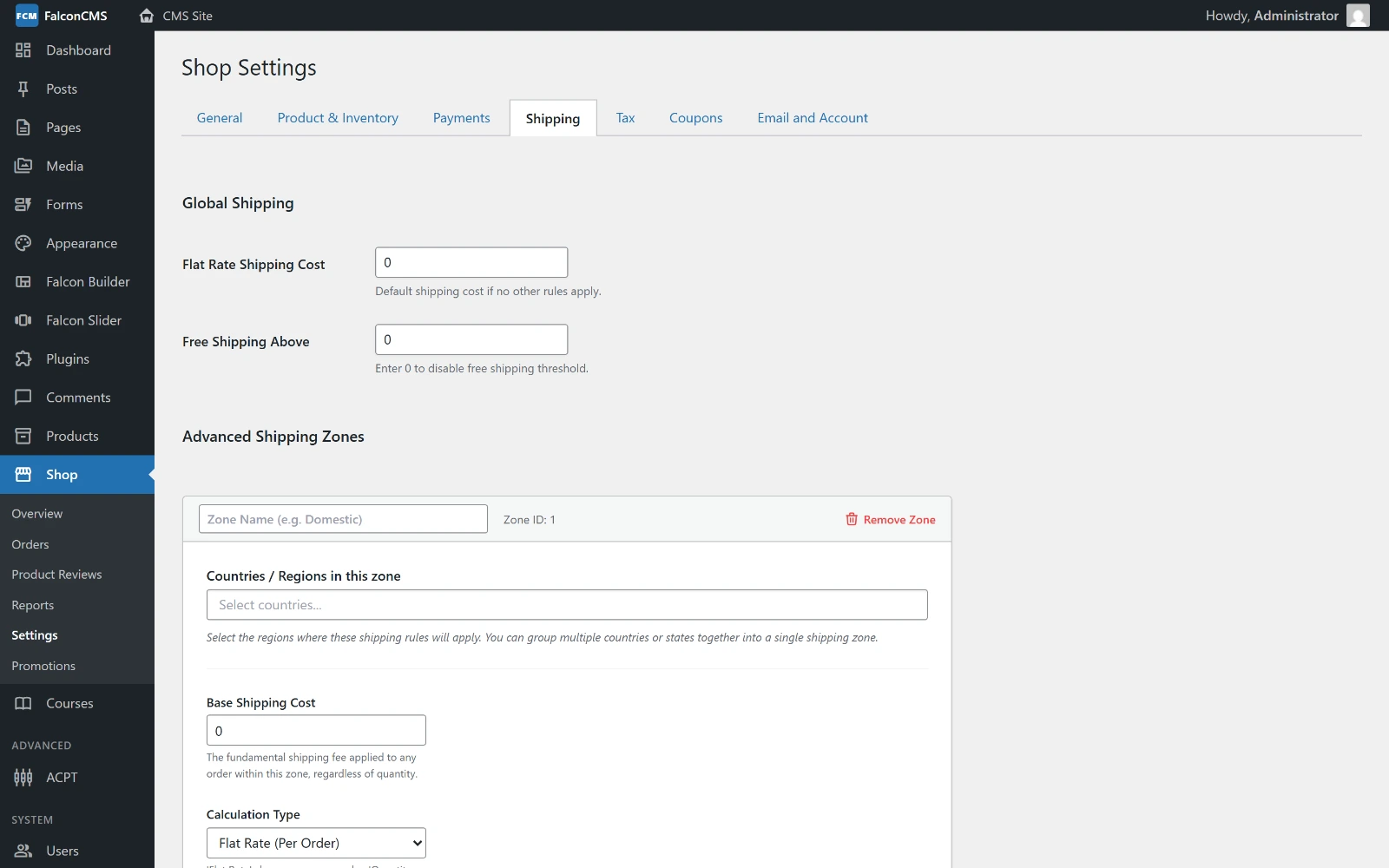
The global flat rate and free-shipping threshold sit above the zones. Adding a zone opens the fields listed here; local pickup is further down the same tab.
Zones are matched on the customer's country, falling back to the parent country when the value includes a state (Bangladesh - Dhaka matches a zone listing Bangladesh).
Quantity-based rates
Choose Quantity Based (Per Item Range) and add bands:
| Min Qty | Max Qty | Cost |
|---|---|---|
| 1 | 3 | 60 |
| 4 | 10 | 100 |
| 11 | (blank) | 150 |
Leave Max blank for "and above". A cart matching no band pays the zone's base cost.
Weight-based rates
Choose Weight Based (Per Weight Range) and the same bands are read in your weight unit instead. Weights come from Product Data → Shipping; a variation may carry its own and otherwise inherits the product's. A product with no weight counts as zero rather than blocking the order.
| Min Weight | Max Weight | Cost |
|---|---|---|
| 0 | 1 | 50 |
| 1 | 5 | 120 |
| 5 | (blank) | 300 |
WARNING
A band with a missing or non-numeric cost is skipped rather than treated as free, and the zone's base cost applies instead. Fill every row you add.
Free shipping coupons
A free_shipping coupon zeroes every method rather than discounting the goods, so the saving lands on the shipping line. See Coupons.
Tax
Tax is off until Tax → Enable tax calculations and display is ticked. Nothing below has any effect while it is off — the rest of the tab stays hidden until then.
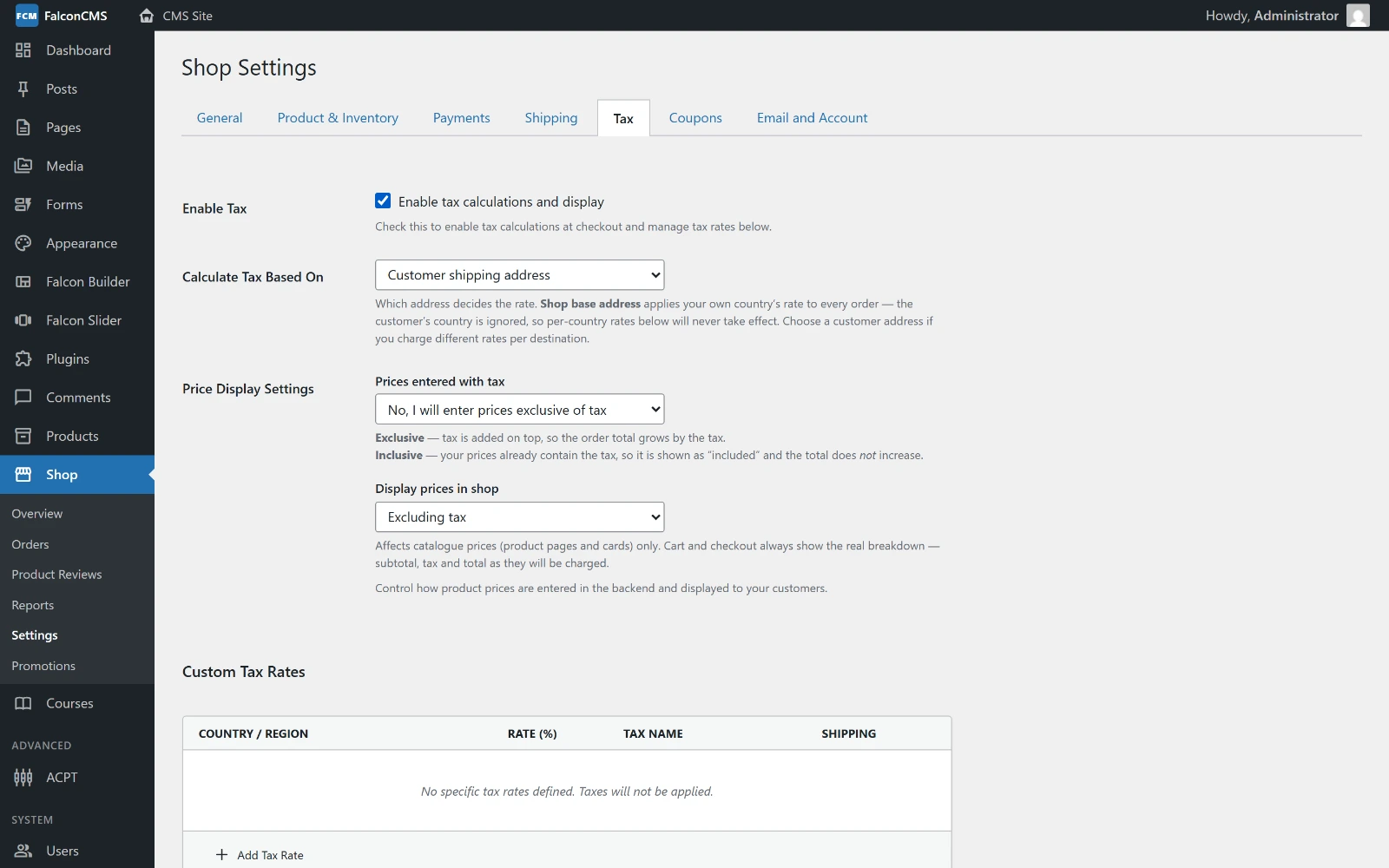
With tax enabled, the tab reveals which address decides the rate, how prices are entered and displayed, and the Custom Tax Rates table.
Rates
Tax → Custom Tax Rates is a table:
| Field | Meaning |
|---|---|
| Country | The country the rate applies to, or * for everywhere |
| Rate | Percentage, e.g. 15 |
| Name | The label on the cart line, e.g. VAT |
| Apply to shipping | Whether shipping is taxed as well |
Matching runs exact country → parent country → * wildcard, so a specific rate always beats the fallback.
Which country is charged
Tax → Calculation basis decides whose country is used:
| Basis | Meaning |
|---|---|
shipping | Where the order is being delivered |
billing | The customer's billing country |
base | Your own shop country, regardless of the customer |
Prices with or without tax
Two settings work together, and mixing them is what makes tax visible in the catalogue:
| Setting | Meaning |
|---|---|
| Price entry | Whether the prices you type already contain tax |
| Catalogue display | Whether shoppers should see prices with tax |
When the two differ, prices are converted on the way out — enter 1,000 without tax, display with tax, and a 15% rate shows 1,150. When they match, nothing is converted.
TIP
Per-product override: Product Data → General → Tax status can be set to None so a particular product is never taxed.
On the cart
Tax is calculated on the taxable items only, after coupons and promotions have been taken off in proportion, and shipping is added to the base when the rate says to tax it.