
Storefront
What shoppers see outside the admin: the shop's pages, the shop archive and its filters, the customer account, and the structured data search engines read.
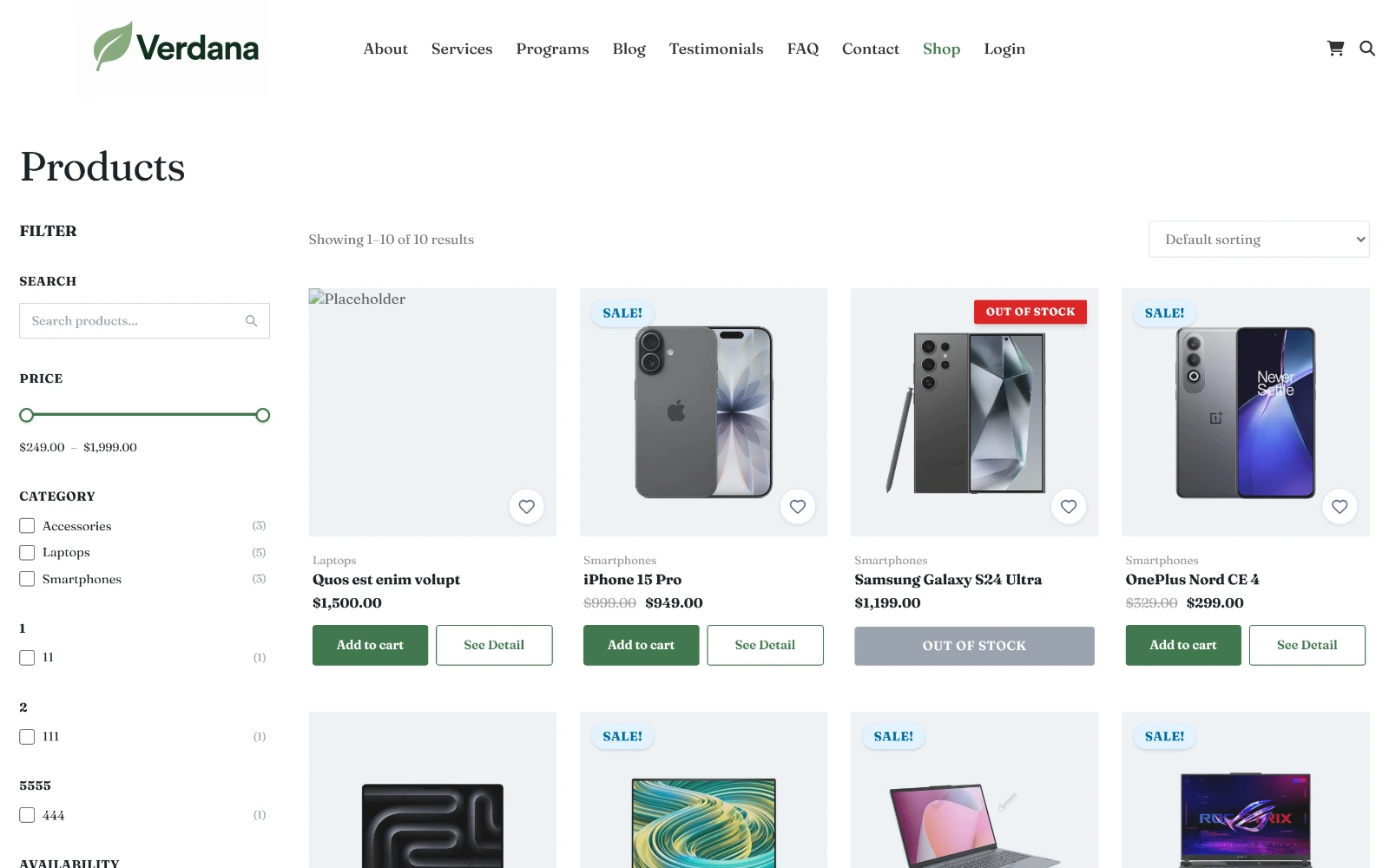
The shop archive as the default theme renders it — filter sidebar, product grid, sale badges, and add-to-cart.
Shop pages
The shop runs on five pages: Shop, Cart, Checkout, Account and Wishlist. You don't create them yourself.
- Activating Falcon Shop creates them and assigns them under Shop → Settings → Product & Inventory → Shop pages. A page that already exists at the usual address (
/cart,/account…) is used rather than duplicated. - A site that has had the shop on since install gets them once, on the first install or update (or the first admin screen opened afterwards).
- A page you delete stays deleted. Updates do not bring it back.
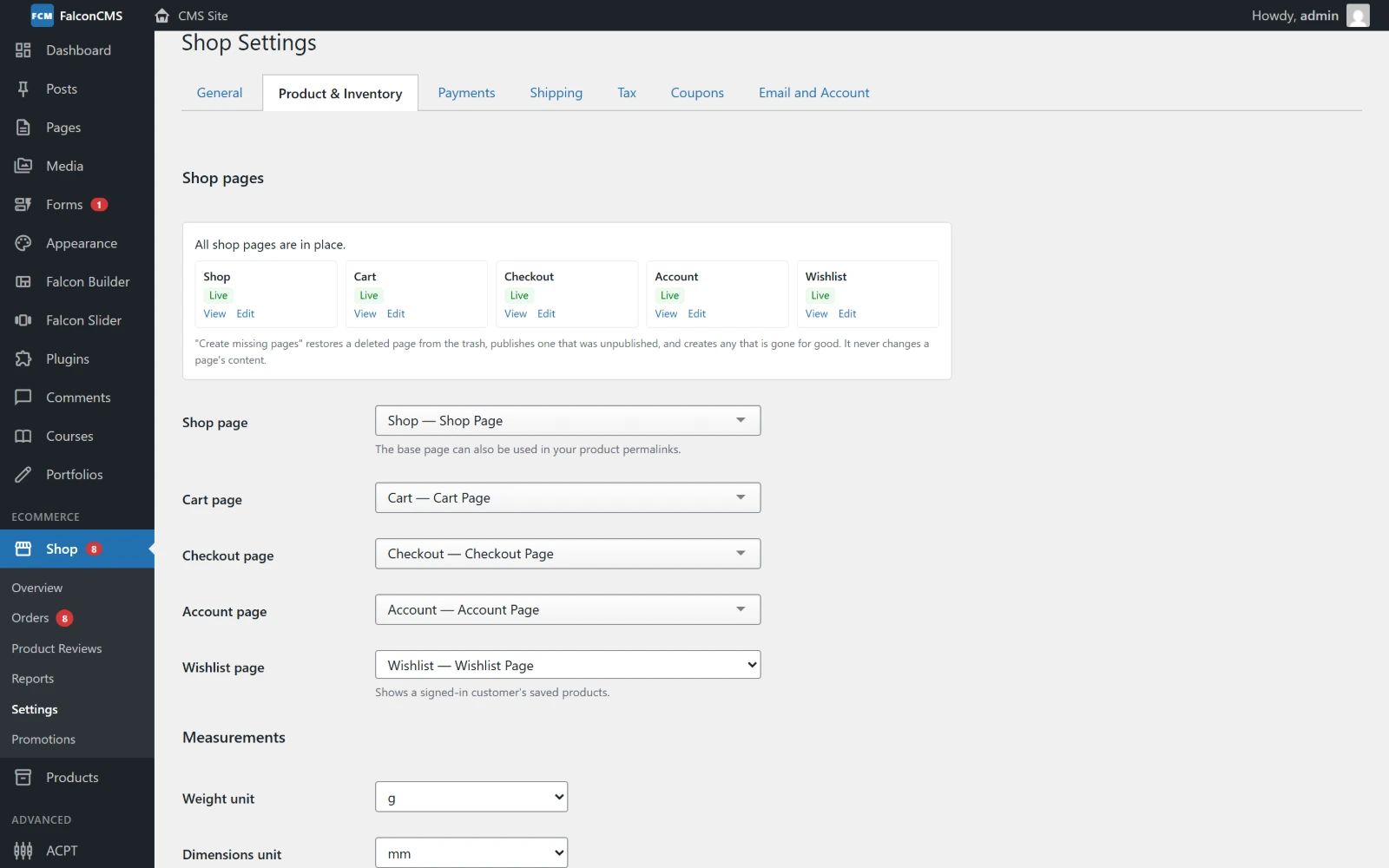
Each shop page's state, with View and Edit, and the page assigned to each role.
The panel shows each page's state: Live, Not published, In the trash or Missing. When one needs attention, Create missing pages brings it back:
- in the trash: the same page is restored and published again;
- gone for good: a new page is created;
- none assigned: a page at the usual address is assigned; failing that, one is created.
It never changes a page's content, and never makes a second page for a role that has one. A draft you assigned yourself is left for you to publish.
Good to know:
- Links: the theme's cart, checkout, shop and account links only point at a published page. With none, they fall back to the shop's own addresses, so a visitor never lands on a 404.
- Not in search: the Cart, Checkout, Account and Wishlist pages are
noindexand left out of the sitemap. Only the Shop page is listed. - The Wishlist page shows a signed-in customer's saved products. A visitor who is not signed in is sent to the Account page first, and comes back after signing in.
Shop filters
The shop page and every product category archive carry a filter sidebar:
| Filter | Source |
|---|---|
| Search | Product title, excerpt and SKU — including variation SKUs |
| Price | A dual-handle slider bounded by the cheapest and dearest product on offer |
| Category | Product categories, with a count each |
| Attributes | Every attribute marked Show in filters — see Products |
| In stock only | The same availability rule the stock badge uses |
| On sale | Only sales that are actually running |
Filtering happens over AJAX and rewrites the address bar, so:
- a filtered view is a real URL you can share or bookmark
- the back button steps back through the filters
- sorting and pagination keep the filters applied
With JavaScript switched off the panel is a plain GET form with an Apply filters button, and every filter still works.
URLs
Filters are ordinary query parameters, so you can link straight to a filtered view:
/product?s=phone&min_price=1000&max_price=25000
/product?product_cat[]=samsung&in_stock=1
/product?attr[color][]=blue&attr[size][]=xl&on_sale=1
Values within one attribute are OR'd, separate attributes are AND'd — picking Red and Blue widens the results, adding a size narrows them.
The attribute index
Attribute filtering reads a derived table that is rebuilt whenever a product is saved. If it ever drifts — after a bulk import, or a direct database edit — rebuild it:
php artisan falcon:reindex-attributesShop Boost (Pro)
With a Pro licence, Falcon Shop Boost adds a tab to the shop settings (Shop → Settings → Shop Boost) with shopping feedback (fly to cart, a free shipping bar, button states, loading skeletons) and sales features (sticky add to cart on phones, quick view, "only N left", back-in-stock emails, abandoned cart reminders, recently viewed and more). It is built on the shop hooks listed under E-commerce Logic Hooks.
Related, upsells and cross-sells
| Row | Where | Chosen by |
|---|---|---|
| You may also like | Product page | You, in Product Data → Linked Products |
| Related products | Product page | Automatically, from the product's category |
| You may be interested in | Cart | You, as cross-sells on the products in the cart |
Cross-sells never suggest something already in the cart.
Customer accounts
Under My Account, signed-in customers get orders, downloads, profile, password — and:
Saved addresses
Customers save addresses under My Account → Addresses, each with an optional label (Home, Office). Separate defaults are kept for billing and shipping, because being billed at home and shipped to work is ordinary.
At checkout the default address fills the form server-side, so it works with JavaScript off. When more than one address is saved, a picker appears to switch between them. A Save this address tick on checkout adds the address after the order is placed — near duplicates are recognised and not added twice.
Structured data
Product pages emit schema.org JSON-LD, which is what puts price, availability and star ratings into a search result instead of a bare link.
| Product | Markup |
|---|---|
| Simple | Offer with price, currency, availability, and priceValidUntil while a sale runs |
| Variable | AggregateOffer with lowPrice, highPrice and offerCount |
Reviews add an aggregateRating. An attribute named Brand is emitted as the product's brand.
Prices in the markup come from the same helper the page itself uses, so the structured data can never advertise a price the shop will not honour — search engines treat that as a violation, not a rounding error.
Testing it
Paste the page's JSON-LD into Google's Rich Results Test using the Code tab. Once the site is public, test by URL instead — a rich result only appears when the product URL and its image are reachable from the internet.