
Promotions
Promotions are automatic offers — buy two get one free, 20% off a category, a discount once the cart passes an amount. Unlike coupons, the customer types nothing: the rules are evaluated on every cart read and applied on their own.
Manage them under Admin → Shop → Promotions.
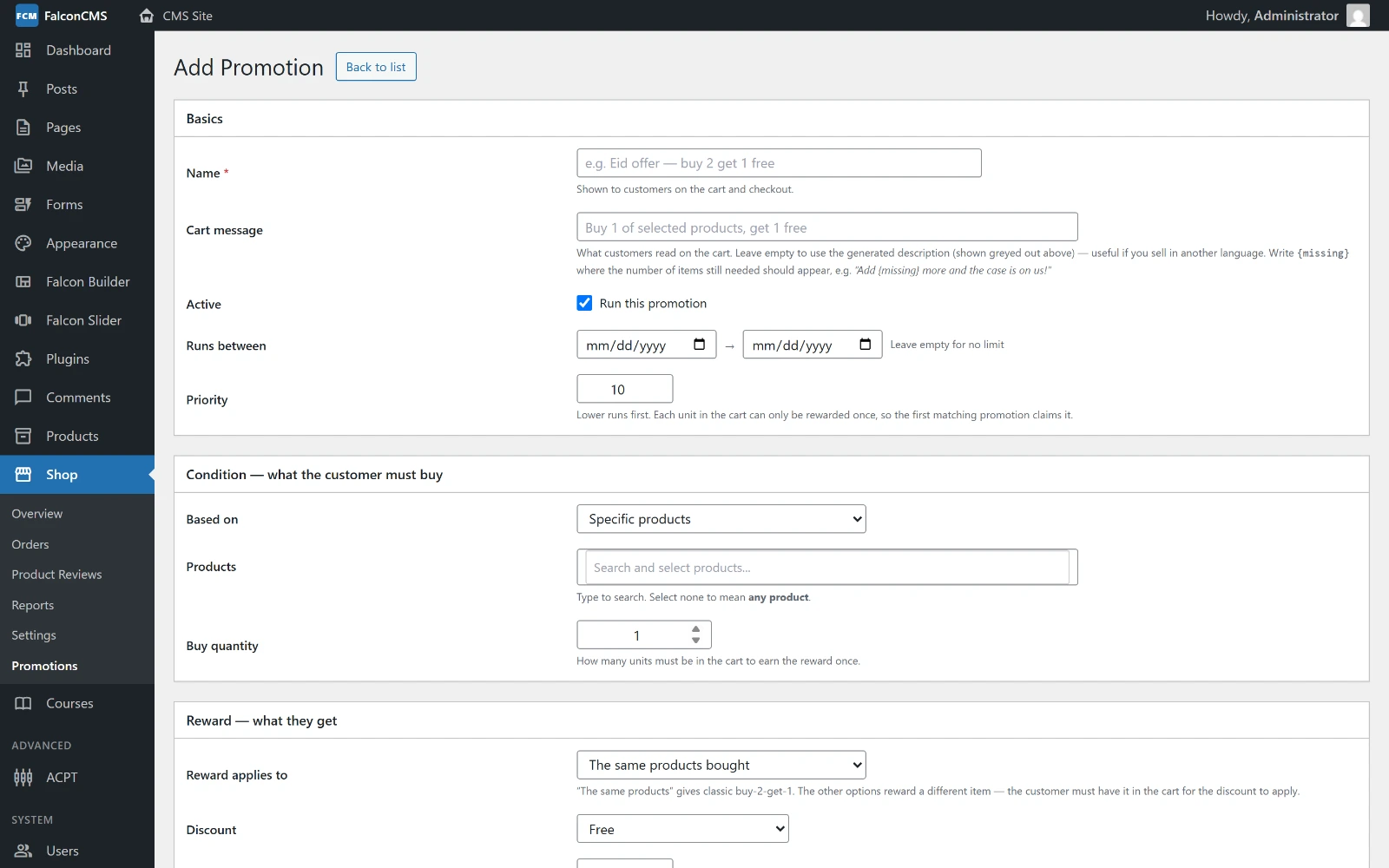
A promotion is written as three blocks — Basics, the Condition the cart must meet, and the Reward it earns.
Creating a promotion
A promotion is a trigger (what has to be in the cart) and a reward (what the customer gets for it).
Trigger
| Type | Meaning |
|---|---|
product | Specific products must be in the cart |
category | Anything from the chosen categories counts |
cart_total | The cart subtotal must reach an amount |
Trigger quantity is how many units are needed. For cart_total it is the amount.
Reward
| Type | Meaning |
|---|---|
free_item | The reward units cost nothing |
percent_off | A percentage off the reward units |
fixed_off | A fixed amount off the reward units |
Reward scope decides what the reward lands on:
| Scope | Meaning |
|---|---|
same | The same items that triggered the offer |
specific | Particular products you choose |
category | Anything from the chosen categories |
Reward quantity is how many units are rewarded per application.
Worked example — buy 2, get 1 free
| Field | Value |
|---|---|
| Trigger type | product |
| Trigger products | T-Shirt |
| Trigger quantity | 2 |
| Reward type | free_item |
| Reward scope | same |
| Reward quantity | 1 |
Add two T-shirts and the cart offers a third free. Add four and the offer applies twice — unless Max applications caps it.
Limits and scheduling
| Field | Effect |
|---|---|
| Priority | Lower numbers are evaluated first when several promotions could apply |
| Max applications | How many times one cart may claim the offer |
| Usage limit | How many times the promotion may be claimed across all orders |
| Starts / Ends | The window in which it is live |
| Active | Switch it off without deleting it |
The usage limit is claimed with a conditional update at checkout, so two orders completing at the same instant cannot both take the last one.
What the customer sees
- On the cart, an offer they nearly qualify for is shown as a prompt — Add one more and get a T-Shirt free — and it updates as the cart changes, without a reload.
- A claimed reward appears as its own discount line, named after the promotion.
- Order details list the promotion alongside the items it applied to, so neither the customer nor your staff has to work out why the total is lower.
Custom message
Cart message replaces the default prompt with your own wording. Leave it empty and the generated text is used.
Nothing is stored in the cart
Rewards are recalculated from the rules on every cart read. Change a promotion and every live basket reflects it immediately; there is no stale discount to clean up.