
Configuration
All CMS settings are stored in the cms_settings database table and accessed through the get_cms_option() helper. You can change most settings from the Admin → Settings panel.
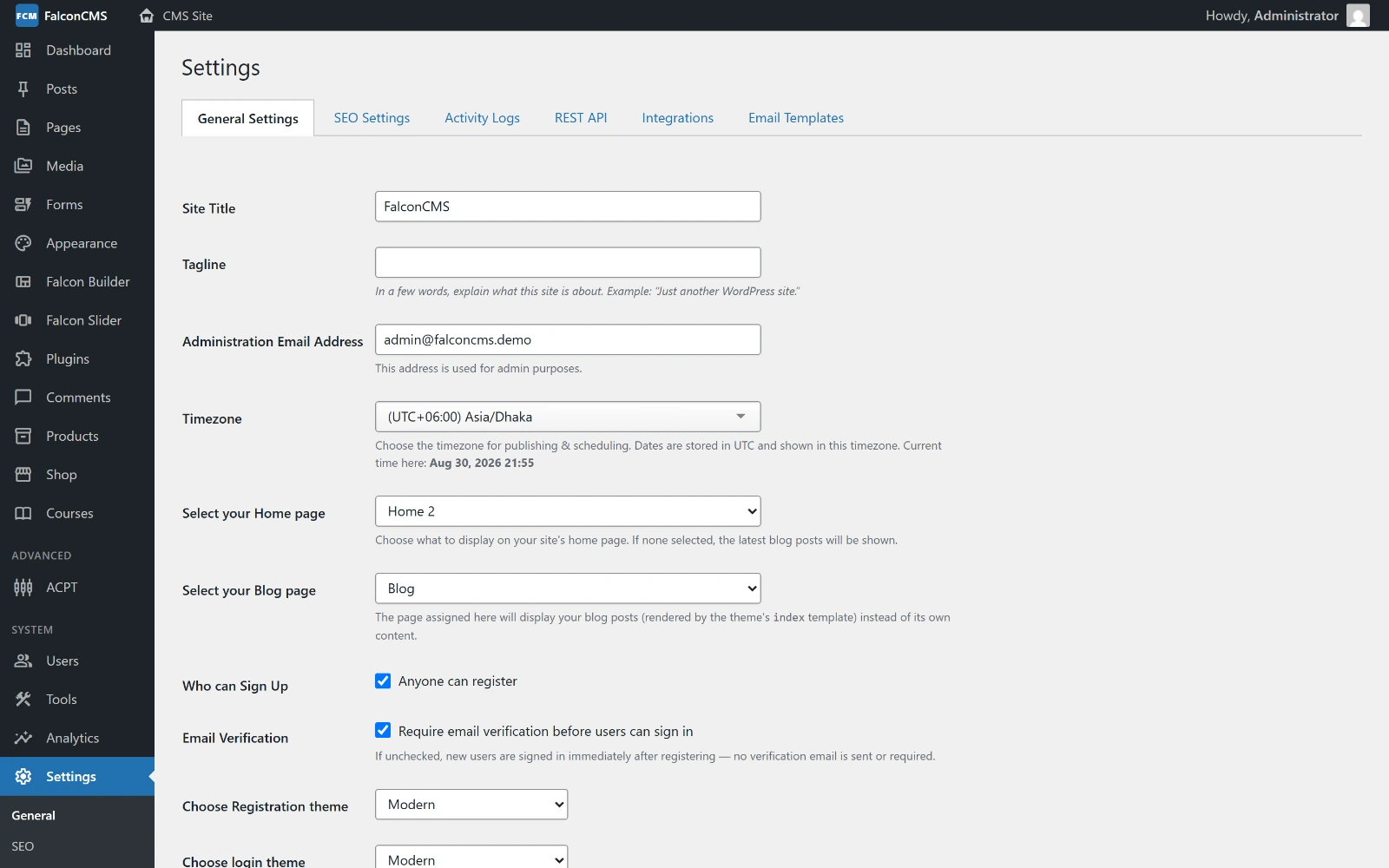
Settings are grouped into tabs — General, SEO, Activity Logs, REST API, Integrations, and Email Templates.
General Settings
Navigate to Admin → Settings → General.
| Setting | Key | Default | Description |
|---|---|---|---|
| Site Name | site_name | — | Your website name |
| Site Title | site_title | — | Browser tab title |
| Tagline | site_description | — | Meta description fallback |
| Logo | site_logo | — | Header logo image URL |
| Favicon | site_favicon | — | Browser favicon |
| Timezone | timezone | UTC | PHP timezone identifier |
| Homepage | home_page_id | — | Post ID of your homepage |
| Posts per page | posts_per_page | 10 | Blog archive pagination |
| Default post status | default_post_status | draft | draft / pending / published |
| Comment moderation | comment_moderation | true | Require approval before showing |
| Allow registration | allow_registration | false | Enable public signups |
Authentication Settings
| Setting | Key | Default | Description |
|---|---|---|---|
| Login URL | login_url | falcon-admin | Custom login page slug |
| Register URL | register_url | falcon-registration | Custom registration slug |
| Passwordless login | passwordless_login | false | Enable magic link login |
Security
Change login_url from the default to make your login page harder to find by bots.
From v2.6.7 that setting actually holds: /admin, /admin/login and every other admin path answer a visitor without a session with a 404, rather than redirecting to wherever you moved the login page. Guessing the obvious address no longer reveals the real one.
A browser that has signed in here before is the exception: from v2.6.13 it is sent to the login page rather than the 404, so a session that ends while you are working, or an old bookmark, does not look like a broken site. That marker is an ordinary encrypted cookie, so it cannot be forged, and it only changes what is shown — it never signs anyone in. A browser that has never signed in still gets the 404.
It is still worth keeping the login URL somewhere you can find it: on a new machine, or after clearing cookies, nothing links back to it.
SEO Settings
Navigate to Admin → Settings → SEO.
| Setting | Key | Description |
|---|---|---|
| Default meta description | default_meta_description | Fallback when post has no description |
| Default social image | default_og_image | Fallback Open Graph image |
| XML Sitemap | enable_xml_sitemap | Auto-generate /sitemap.xml |
| robots.txt | enable_robots_txt | Auto-generate /robots.txt |
Multi-language Settings
| Setting | Key | Description |
|---|---|---|
| Enable multi-language | multi_language_enabled | Prefix URLs with locale code |
| Language switcher | lang_switcher_display | both, flag_only, text_only, code_only |
Reading Settings in Code
// Get a setting with fallback
$siteName = get_cms_option('site_name', 'My Site');

// Locale-aware: returns site_name_bn for Bengali locale if set
$siteName = get_cms_option('site_name');

// Update a setting
update_cms_option('site_name', 'New Site Name');
Timezone Helpers
// Get configured timezone
$tz = cms_timezone(); // e.g., "Asia/Dhaka"

// Get current time in CMS timezone
$now = cms_now(); // Carbon instance

// Format a date in CMS timezone
echo cms_date($post->published_at, 'M j, Y'); // "Jun 11, 2026"
Integration Settings
Navigate to Admin → Settings → Integrations.
| Integration | Keys |
|---|---|
| Google Analytics | google_analytics_id |
| Facebook Pixel | facebook_pixel_id |
| Google Search Console | google_search_console |
| SMTP Email | smtp_enabled, smtp_host, smtp_port, smtp_username, smtp_password |
| PayPal | paypal_enabled, paypal_client_id, paypal_secret |
| Stripe | stripe_enabled, stripe_public_key, stripe_secret_key |
| SSLCommerz | ssl_commerce_enabled, ssl_commerce_store_id, ssl_commerce_signature_key |