
Widgets
Widgets are content blocks placed in predefined areas like the sidebar and footer columns.
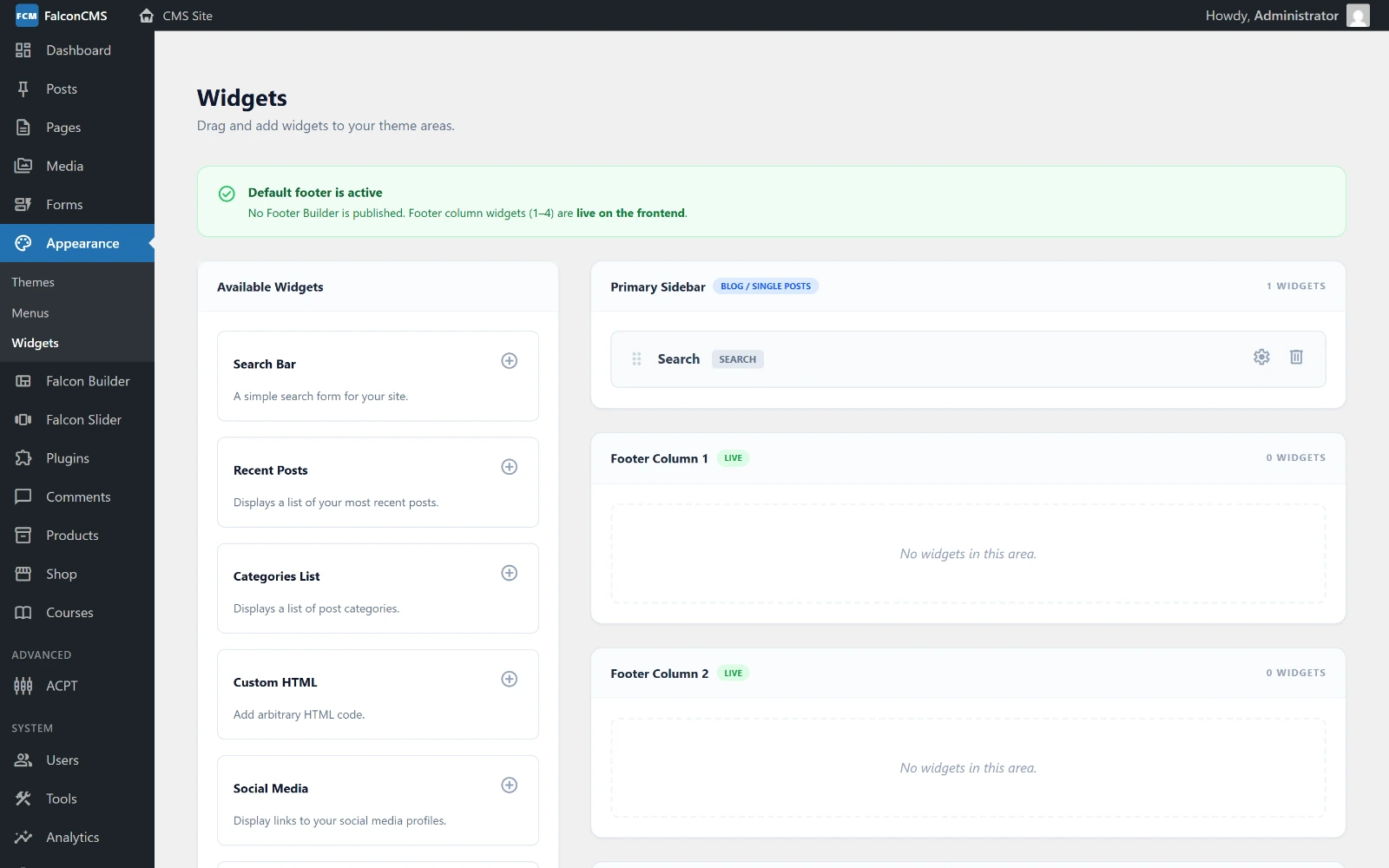
Available widgets on the left, the areas they can be dropped into on the right.
Widget Areas
Falcon CMS includes these built-in widget areas:
| Slug | Label |
|---|---|
primary-sidebar | Primary Sidebar |
footer-1 | Footer Column 1 |
footer-2 | Footer Column 2 |
footer-3 | Footer Column 3 |
footer-4 | Footer Column 4 |
Managing Widgets
Go to Admin → Appearance → Widgets:
- Choose a widget area from the tabs
- Click Add Widget
- Select the widget type
- Configure it (title, settings)
- Drag to reorder within the area
Built-in Widget Types
| Type | Description |
|---|---|
search | Search form |
recent_posts | List of latest posts |
categories | List of categories or taxonomies |
custom_html | Paste any HTML or embed code |
Themes can register additional widget types in their functions.php.
Rendering Widgets in Templates
php
// Render widgets for an area
<?php render_falcon_widgets('primary-sidebar'); ?>

// In a layout with sidebar
<div class="layout">
    <main>{{ $content }}</main>
    <aside>
        <?php render_falcon_widgets('primary-sidebar'); ?>
    </aside>
</div>

// Footer
<footer>
    <div class="footer-grid">
        <div><?php render_falcon_widgets('footer-1'); ?></div>
        <div><?php render_falcon_widgets('footer-2'); ?></div>
        <div><?php render_falcon_widgets('footer-3'); ?></div>
        <div><?php render_falcon_widgets('footer-4'); ?></div>
    </div>
</footer>
Widgets with Multi-language
Each widget can have a lang_code field. Widgets only display on matching locales — use this to show different sidebar content per language.
Registering Custom Widget Types
In your theme's functions.php:
php
add_falcon_filter('falcon_available_widgets', function(array $widgets) {
    $widgets['newsletter'] = [
        'name'        => 'Newsletter Signup',
        'description' => 'Email subscription form.',
        'settings'    => ['placeholder' => 'Enter your email'],
        'view'        => 'themes.my-theme.widgets.newsletter',
    ];
    return $widgets;
});
Then create resources/views/themes/my-theme/widgets/newsletter.blade.php:
blade
<div class="widget-newsletter">
    <h3>{{ $widget->title }}</h3>
    <form>
        <input type="email" placeholder="{{ $widget->settings['placeholder'] ?? 'Your email' }}">
        <button type="submit">Subscribe</button>
    </form>
</div>