
Multi-language
Falcon CMS has built-in multi-language support. You can create content in multiple languages and switch between them from the frontend.
Pro feature
Multi-language requires a FalconCMS Pro licence. The settings below are only available on a licensed site. See Installing Pro.
Enabling Multi-language
- Go to Admin → Settings → General
- Toggle Enable Multi-language on
- Save
Once enabled, all frontend URLs get a language prefix: /en/about-us, /bn/about-us.
Managing Languages
Go to Admin → Tools → Languages:
- Add a new language (name, ISO code, flag emoji)
- Set default — the language used when no prefix is in the URL
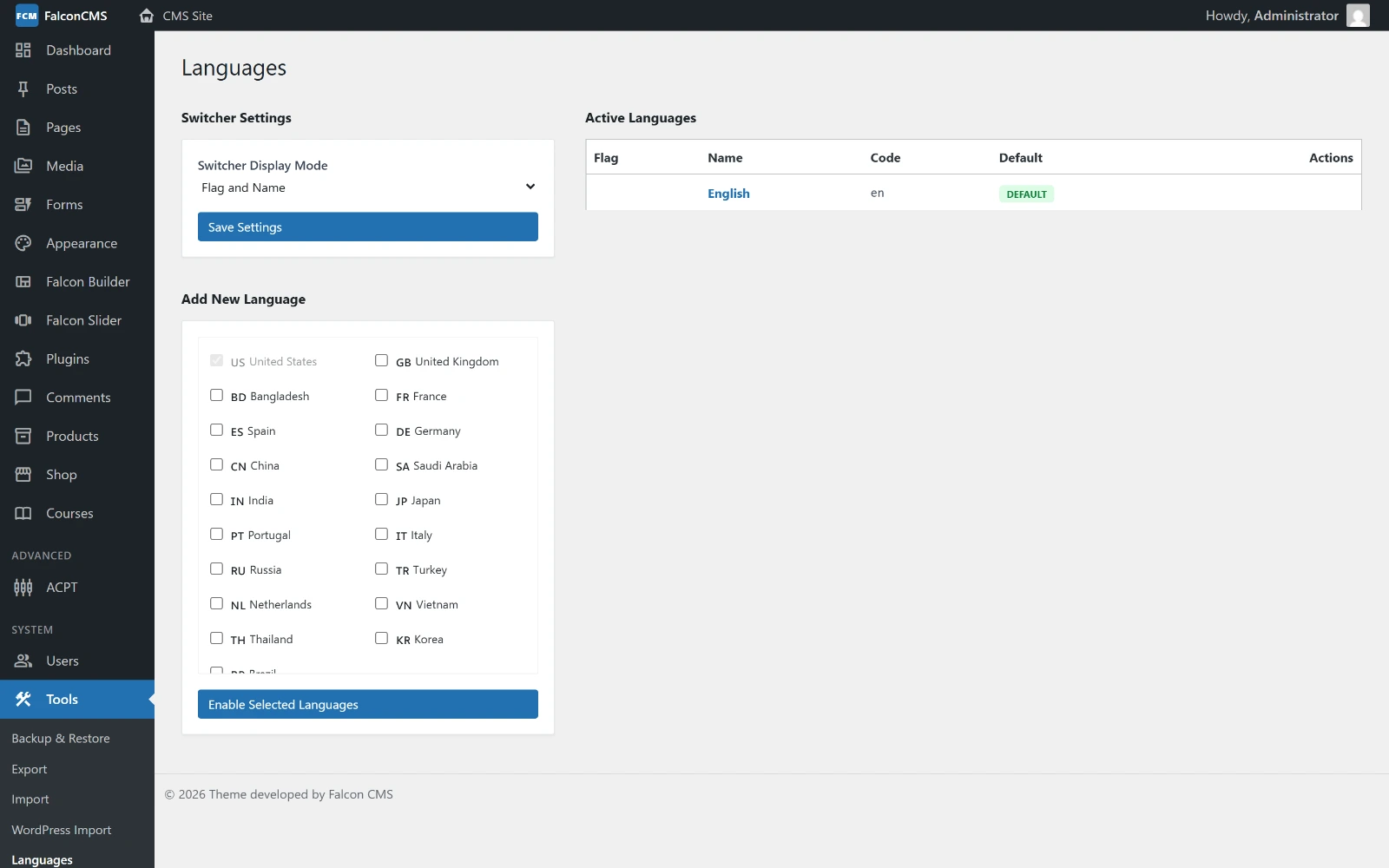
Active languages, the default among them, and the list a new language is added from.
- Enable/disable individual languages
- Language switcher display: flag, text, code, or all
Creating Translated Content
When multi-language is enabled, every post/page editor shows a Language metabox.
To translate a post:
- Open the original post
- Click Add Translation → select language
- A new post is created linked to the original via
origin_id - Translate the content and save
All translations share the same origin_id and are linked by lang_code.
Reading Content by Language
// Get posts in a specific language
$posts = get_falcon_posts([
    'type' => 'post',
    'lang' => 'bn',   // language code
]);

// Get translation of a post
$translation = $post->getTranslation('bn');

// Get permalink with language prefix
$url = get_falcon_permalink($post); // auto-detects current locale
Language Switcher
Render a language switcher anywhere in your theme:
// Links with flag + text
<?php falcon_lang_switcher(); ?>

// Flag only
<?php falcon_lang_switcher(showFlags: true); ?>

// Dropdown (auto-links to translated version of current page)
<?php falcon_lang_dropdown(); ?>
URL Structure
| Mode | Homepage | Post URL |
|---|---|---|
| Single language | / | /my-post |
| Multi-language (default: en) | / | /my-post |
| Multi-language (other locale) | /bn | /bn/my-post |
Locale Detection
Falcon CMS detects locale from:
- URL prefix (
/bn/...) - Session (
langkey) - Default language setting
To switch locale programmatically:
// Set locale via URL
GET /lang/bn
Widget Localization
Widgets support language filtering. Add the lang_code field when creating widgets — they only display on matching locales.
// Render widgets for current locale's sidebar
<?php render_falcon_widgets('primary-sidebar'); ?>