
Theme Development
Falcon CMS uses a file-based theme system similar to WordPress. Themes live in resources/views/themes/{theme-name}/.

A page built in Falcon Builder, rendered on the frontend by the theme's layouts/app.blade.php and its header and footer partials.
Themes vs plugins
Themes own presentation; plugins own functionality. Both are loaded at the same point in the boot cycle and share the same hook API, so build anything design-related here and anything feature-related as a plugin — that way it survives a theme switch.
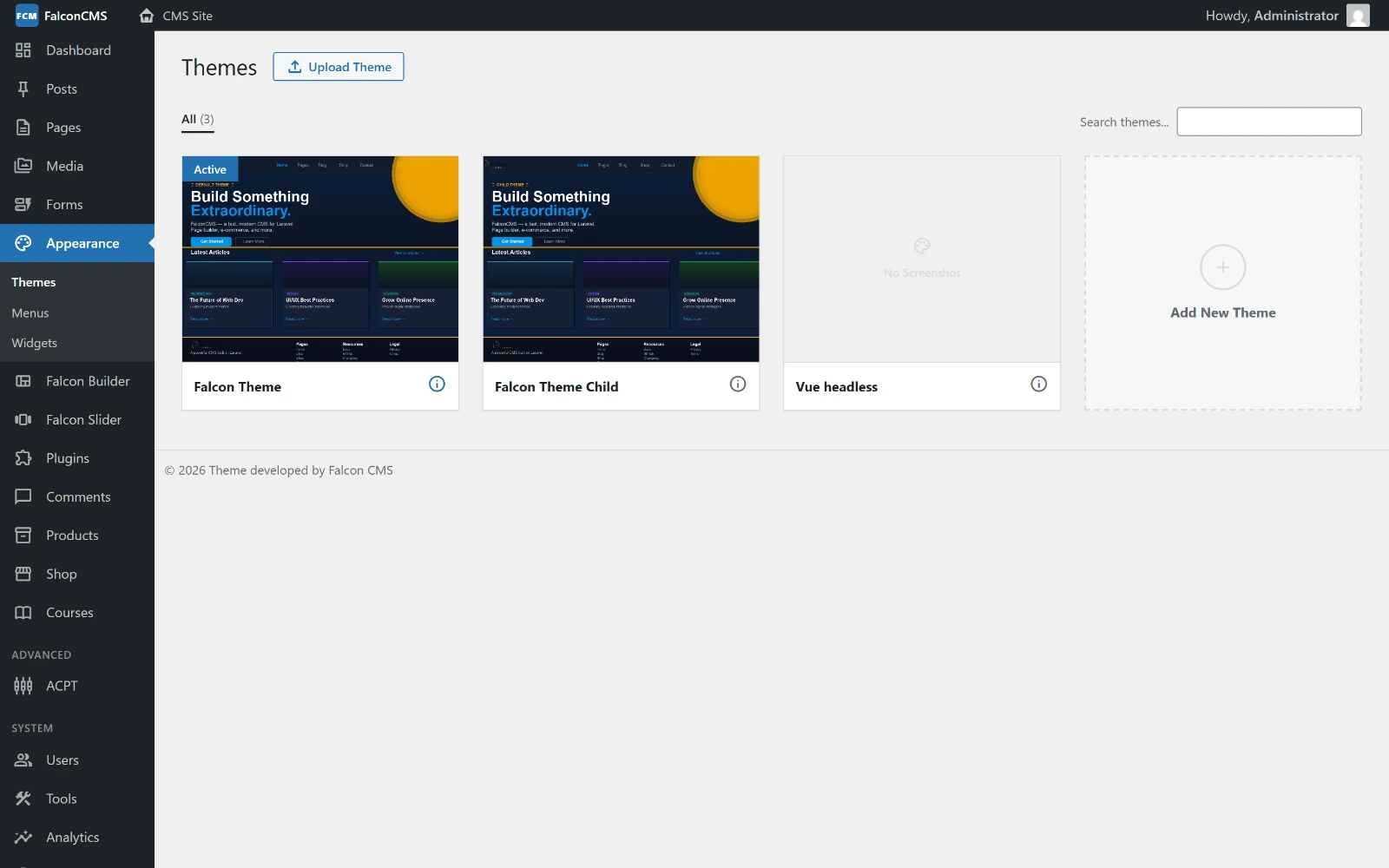
Admin → Appearance → Themes lists what is installed, marks the active one, and takes a .zip upload.
Theme Structure
resources/views/themes/my-theme/
├── layouts/
│   └── app.blade.php          # Main layout wrapper
├── partials/
│   ├── header.blade.php       # Header template
│   ├── footer.blade.php       # Footer template
│   ├── title-bar.blade.php    # Page title + breadcrumb
│   ├── mini-cart.blade.php    # Cart summary popup
│   ├── product-card.blade.php # Product display card
│   ├── comments.blade.php     # Comment section
│   ├── single-share.blade.php # Social share buttons
│   └── single-related.blade.php # Related posts
├── ecommerce/
│   ├── single.blade.php       # Product detail page
│   ├── cart.blade.php         # Shopping cart
│   ├── checkout.blade.php     # Checkout form
│   ├── confirmation.blade.php # Order confirmation
│   ├── account.blade.php      # Customer account
│   ├── track-order.blade.php  # Order tracking
│   └── wishlist.blade.php     # Wishlist page
├── widgets/
│   └── social_media.blade.php # Custom widget
├── index.blade.php            # Homepage
├── single.blade.php           # Single post
├── page.blade.php             # Static page
├── posts.blade.php            # Blog archive
├── archive.blade.php          # Category/tag archive
├── archive-product.blade.php  # Product archive
├── loop.blade.php             # Post loop markup
├── functions.php              # Theme hooks & filters
├── options.php                # Customizer options
└── theme.json                 # Theme metadata
theme.json
{
    "name": "My Theme",
    "version": "1.0.0",
    "author": "Your Name",
    "description": "A clean, fast theme for Falcon CMS"
}
For a child theme, add a "parent" key pointing to the parent theme's slug:
{
    "name": "My Child Theme",
    "version": "1.0.0",
    "parent": "falcon-theme",
    "description": "Customizations on top of Falcon Theme"
}
Setting "parent" creates a child theme — it inherits the parent's templates and can override individual files.
functions.php
The theme's functions.php is loaded before every request. Use it to register hooks, filters, and theme features:
<?php

// Register a custom widget
add_falcon_action('falcon_register_widgets', function() {
    // Widget registration
});

// Add content after every post
add_falcon_action('falcon_after_post_content', function($post) {
    echo '<div class="share-buttons">...</div>';
});

// Modify site title
add_falcon_filter('site_title', function($title) {
    return $title . ' | My Site';
});

// Register custom builder elements
add_falcon_filter('falcon_builder_elements', function($elements) {
    $elements['my_custom'] = [
        'label' => 'My Element',
        'icon'  => 'fa fa-star',
        'view'  => 'themes.my-theme.elements.my-custom',
    ];
    return $elements;
});
options.php
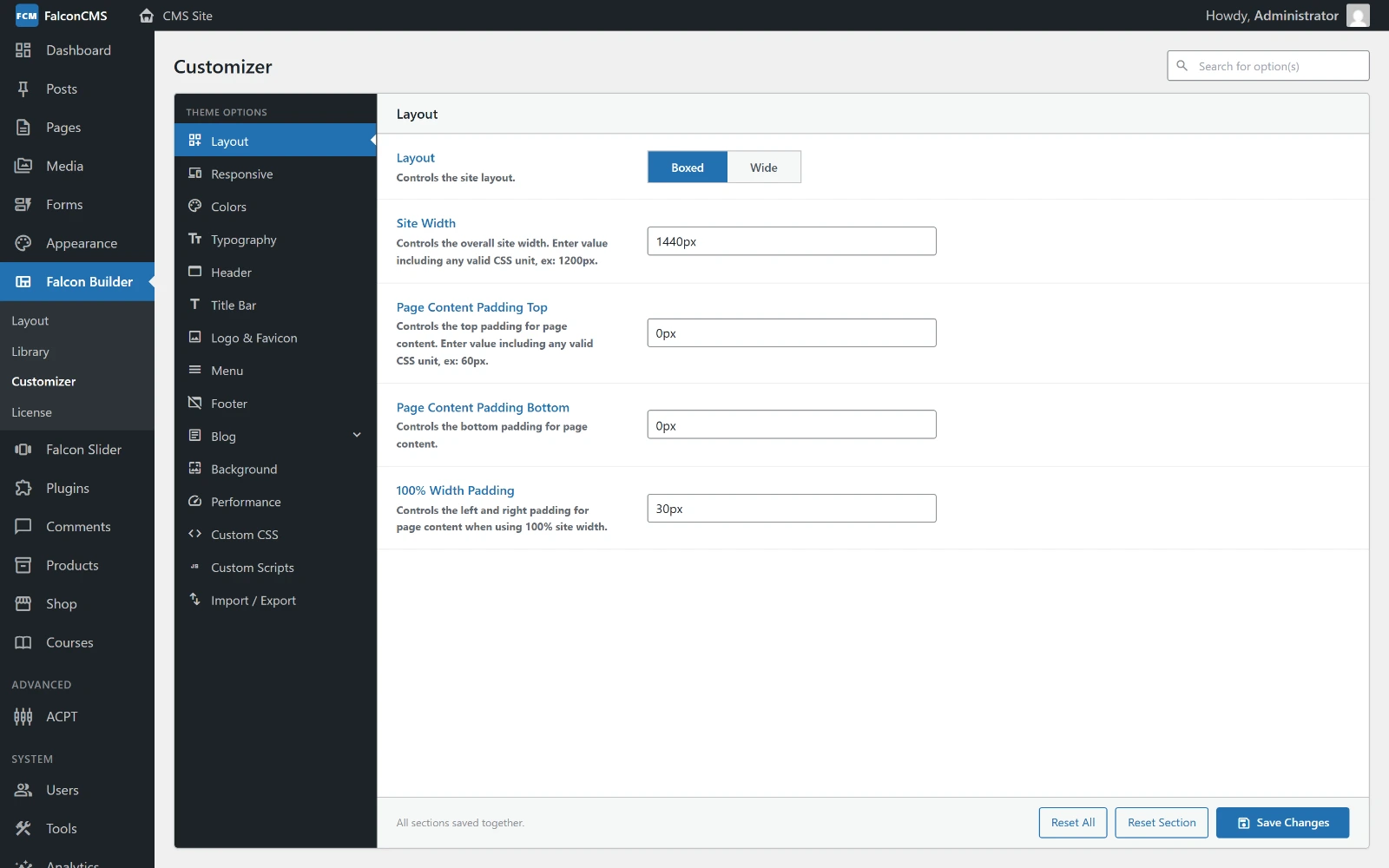
The panels declared in options.php become the sections down the left of the Customizer — Layout, Colors, Typography, Header, Footer, Custom CSS and the rest.
Define customizer settings panels:
<?php

return [
    [
        'id'     => 'colors',
        'label'  => 'Colors',
        'icon'   => 'fa fa-palette',
        'fields' => [
            [
                'id'      => 'primary_color',
                'label'   => 'Primary Color',
                'type'    => 'color',
                'default' => '#2271b1',
            ],
            [
                'id'      => 'body_font',
                'label'   => 'Body Font',
                'type'    => 'select',
                'options' => ['Inter', 'Roboto', 'Open Sans'],
                'default' => 'Inter',
            ],
        ],
    ],
];
Read customizer values anywhere:
$color = get_cms_option('primary_color', '#2271b1');Template Tags
Use these functions inside theme templates:
// Site info
get_cms_option('site_name')
get_cms_option('site_logo')

// Render header/footer from builder
<?php get_falcon_header(); ?>
<?php get_falcon_footer(); ?>

// Navigation menus
$menu = get_falcon_menu('header');  // by location
$menu = get_falcon_menu('main-nav'); // by slug

// Widget areas
<?php render_falcon_widgets('primary-sidebar'); ?>
<?php render_falcon_widgets('footer-1'); ?>

// Post content
the_falcon_content($post->content);

// Pagination
the_falcon_pagination($posts);

// Language switcher
falcon_lang_switcher();
Child Themes
Child themes inherit all templates from the parent. Override only what you need:
- Create
resources/views/themes/my-child-theme/ - Add
theme.jsonwith"parent": "falcon-theme"(or any installed parent slug) - Add an
index.blade.phpthat extends the parent — this is required for activation:blade@extends('falcon-cms::themes.falcon-theme.index') - Copy only the templates you want to override into your child theme directory
When a template is requested, Falcon CMS checks the child theme first, then falls back to the parent.
TIP
The bundled Falcon Theme Child (falcon-theme-child) is published to resources/views/themes/ on install and is ready to customize — your changes there are never overwritten by CMS updates.
Installing Themes
You can install themes by:
- Upload — Admin → Appearance → Themes → Upload (ZIP file)
- Manually — Copy theme folder to
resources/views/themes/
Then go to Admin → Appearance → Themes and click Activate.