
Roles & Permissions
Falcon CMS includes a full Role-Based Access Control (RBAC) system. Every user has a role, and every role has a set of permissions.
Built-in Roles
Installing FalconCMS seeds eight roles.
| Role | Slug | Description |
|---|---|---|
| Super Admin | super-admin | Bypasses all permission checks. Full access to everything. |
| Administrator | administrator | Full access to all settings, content, and configurations. |
| Editor | editor | Can publish and manage all posts, pages, and media. Can moderate comments. |
| Author | author | Can publish and manage only their own posts. |
| Contributor | contributor | Can write posts but cannot publish them (pending review). |
| Subscriber | subscriber | Access to their own profile and basic dashboard view. |
| User | user | Standard user with content management access. |
| Customer | customer | Registered through store checkout or the account page. |
Customers never reach the dashboard
A user with the customer role is redirected to the shop account page on any admin URL — this is enforced in middleware, not by permissions, so granting a customer extra permissions will not let them in. Give a shop user who also needs the dashboard a different role.
Managing Roles
Go to Admin → Roles to:
- Create custom roles
- Assign permissions to roles
- Edit or delete existing roles
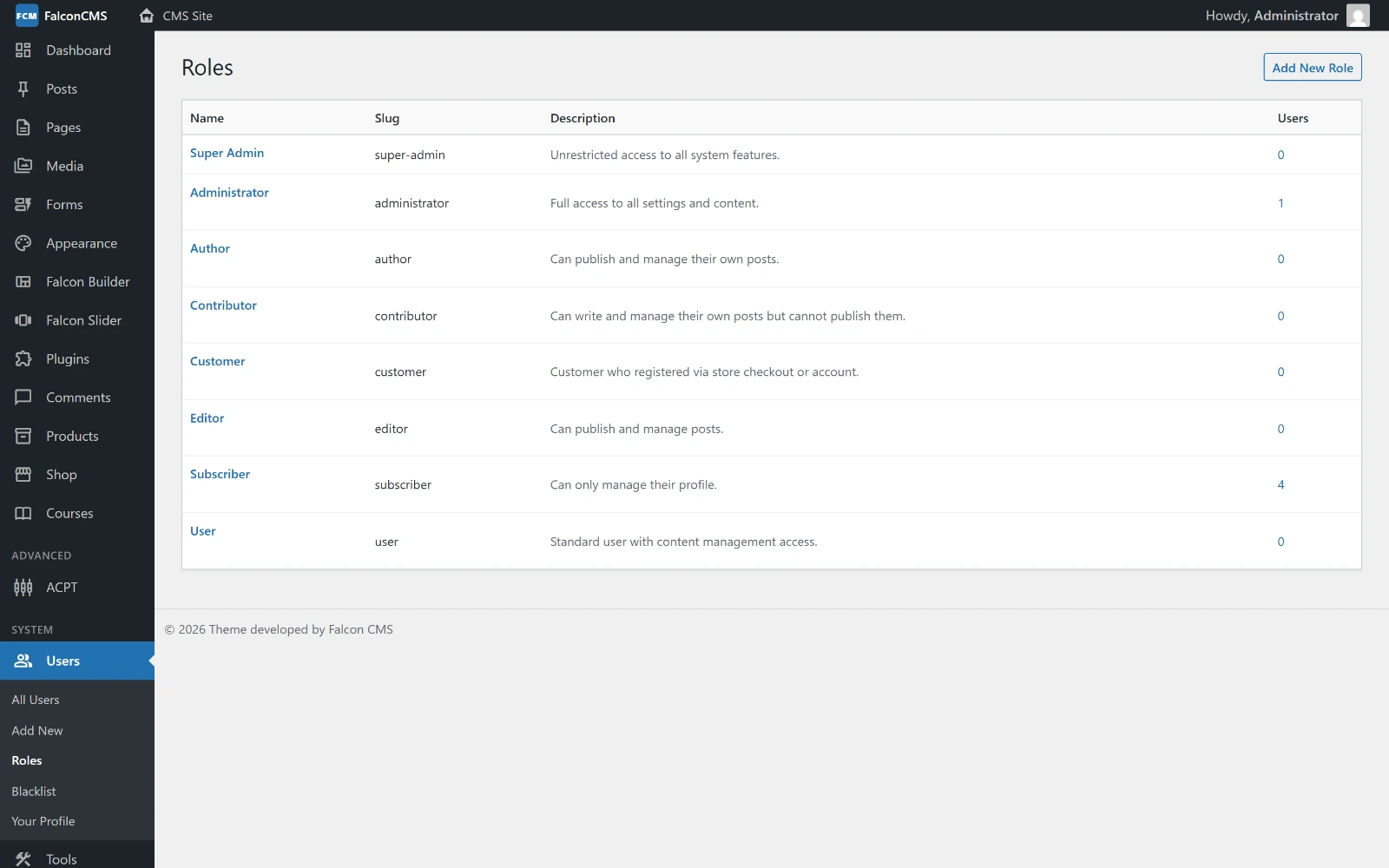
The built-in roles, with how many users hold each. Open one to see and edit its permissions, or add your own role.
Two rules are enforced on this screen:
- Administrator, Super Admin and Subscriber cannot be deleted — they are system roles.
- The Super Admin role can only be opened and edited by a user who is themselves a Super Admin.
Permissions Reference
| Permission | Controls |
|---|---|
access_dashboard | View admin dashboard |
manage_posts | Create, edit, delete all posts |
manage_pages | Create, edit, delete all pages |
manage_media | Upload and manage files |
manage_products | Manage e-commerce products |
manage_users | Create, edit, delete users |
manage_roles | Manage roles and permissions |
manage_settings | Access settings pages |
access_comments | Moderate comments |
access_themes | Switch and manage themes |
access_menus | Manage navigation menus |
access_widgets | Manage widget areas |
access_customizer | Access theme customizer |
access_shop | View shop overview |
access_orders_shop | Manage orders |
access_languages | Manage languages |
access_redirects | Manage 301 redirects |
access_backup_restore | Create and restore backups |
Checking Permissions in Code
The HasCmsPermissions trait is automatically added to your User model during installation.
$user = auth()->user();

// Check role
if ($user->hasRole('editor')) {
    // Editor-specific logic
}

// Check multiple roles (returns true if user has any)
if ($user->hasRole(['editor', 'author'])) {
    // ...
}

// Check a specific permission
if ($user->hasPermission('manage_posts')) {
    // ...
}

// Check if user has any of the given permissions
if ($user->hasAnyPermission(['manage_posts', 'manage_pages'])) {
    // ...
}

// Check if user has ALL permissions
if ($user->hasAllPermissions(['manage_posts', 'manage_media'])) {
    // ...
}
Checking in Blade Templates
@if(auth()->user()->hasRole('administrator'))
    <a href="/admin/settings">Settings</a>
@endif

@if(auth()->user()->hasPermission('manage_posts'))
    <button>New Post</button>
@endif
Assigning Permissions Programmatically
$user = User::find(1);

// Give a permission directly to a user (not via role)
$user->givePermission('manage_posts');

// Revoke a permission
$user->revokePermission('manage_posts');
Content Ownership
Authors and Contributors can only see and edit their own content. This isolation is enforced at the controller level — they cannot access or modify other users' posts even if they try to navigate directly to the URL.
IP Blacklist
Administrators can block specific IP addresses from logging in:
- Admin → Users → Blacklist — View and remove blocked IPs
- Blocked users see an error on login attempt
API Token Authentication
For REST API access:
- Go to Admin → Settings → API
- Click Generate Token
- Use the token as a
Bearerheader:
GET /api/v1/posts
Authorization: Bearer your-api-token-here