
Search Console Pro
The Falcon Search Console plugin brings Google Search Console into FalconCMS. You get clicks, impressions, click-through rate and position for the whole site, for every page and for every search. You also get what to improve next, and each page's numbers right in its editor.
It ships with FalconCMS Pro (1.1.0 or later) and needs FalconCMS 2.7.10 or later. Activate it under Plugins, then open Search Console in the admin menu.
Read-only
The plugin reads from Google and never writes to your content. A post's SEO title, description and everything else stay exactly as you left them.
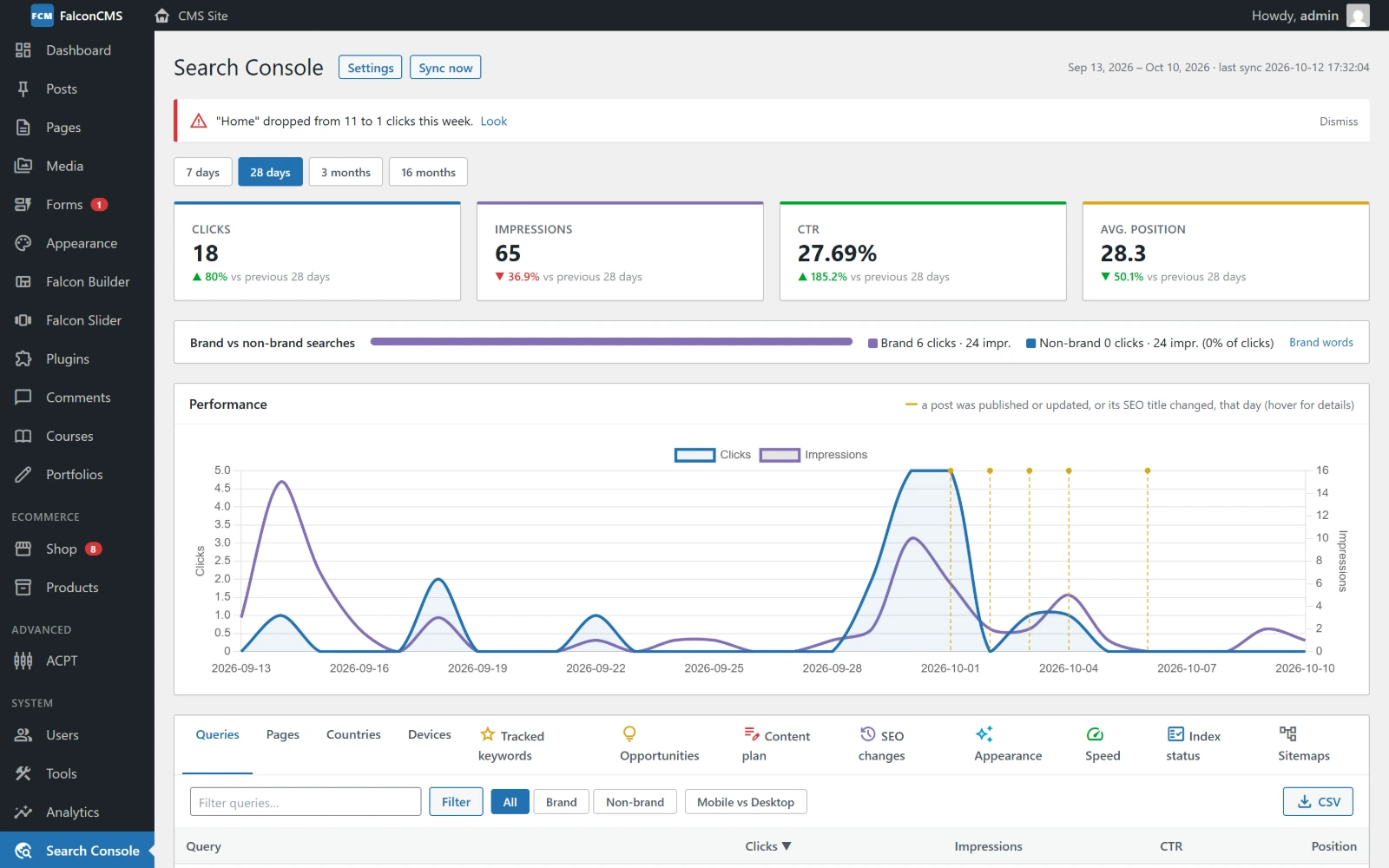
Clicks, impressions, CTR and position against the previous period, brand vs non-brand searches, and a chart marked on the days you published or changed something.
Connecting
The plugin connects with a Google service account: a key that belongs to your site, not to a person. The settings screen walks you through it in three steps, with a direct link for each one:
- Create a key in Google Cloud. Create a project, turn on the Search Console API, create a service account (no roles are needed) and download its JSON key.
- Upload the key. Drag the
.jsonfile onto the settings screen. It is stored encrypted. - Give it access in Search Console. Copy the service account's email, open your property in Search Console → Settings → Users and permissions → Add user, paste it and choose Restricted.
The screen checks every few seconds and connects on its own as soon as Google lets the account in. It picks the matching property by itself, whether a domain property (sc-domain:example.com) or a URL-prefix one. If something is wrong, it says what, and links to the screen where to fix it (the API not enabled, no access yet, a broken key).
Keeping the numbers current
The plugin keeps a copy of your data so the reports open instantly:
- 16 months of daily totals, pages, countries and devices, and 90 days of searches (queries).
- New data is fetched every hour by the scheduler (
falcon:gsc-sync), and again after anyone opens the report, so a host without cron stays current too. - Google's figures run two to three days behind, so the report ends on the newest day Google has.
Use Sync now at the top of the report to fetch right away.
The report
Pick a range (7 days, 28 days, 3 months, 16 months) and a search type (web, image, video, news, Discover). Every list can be filtered, sorted, exported to CSV, and drilled into: open a search to see the pages it shows, or a page to see its searches.
| Tab | What it shows |
|---|---|
| Queries / Pages / Countries / Devices | The usual Search Console breakdowns, with full country names and flags. |
| Tracked keywords | Searches you star, with their position over time. |
| Opportunities | What to work on next (see below). |
| Content plan | Pages losing ground over months, and content ideas (see below). |
| SEO changes | Every time an SEO title or description changed, with the traffic before and after. |
| Appearance | Rich results and other search appearances, per page. |
| Speed | Core Web Vitals for your top pages, with what to fix (see below). |
| Index status | Whether Google has indexed each page, and why not (URL Inspection). |
| Sitemaps | The sitemaps Google knows about, with errors and warnings. |
Opportunities
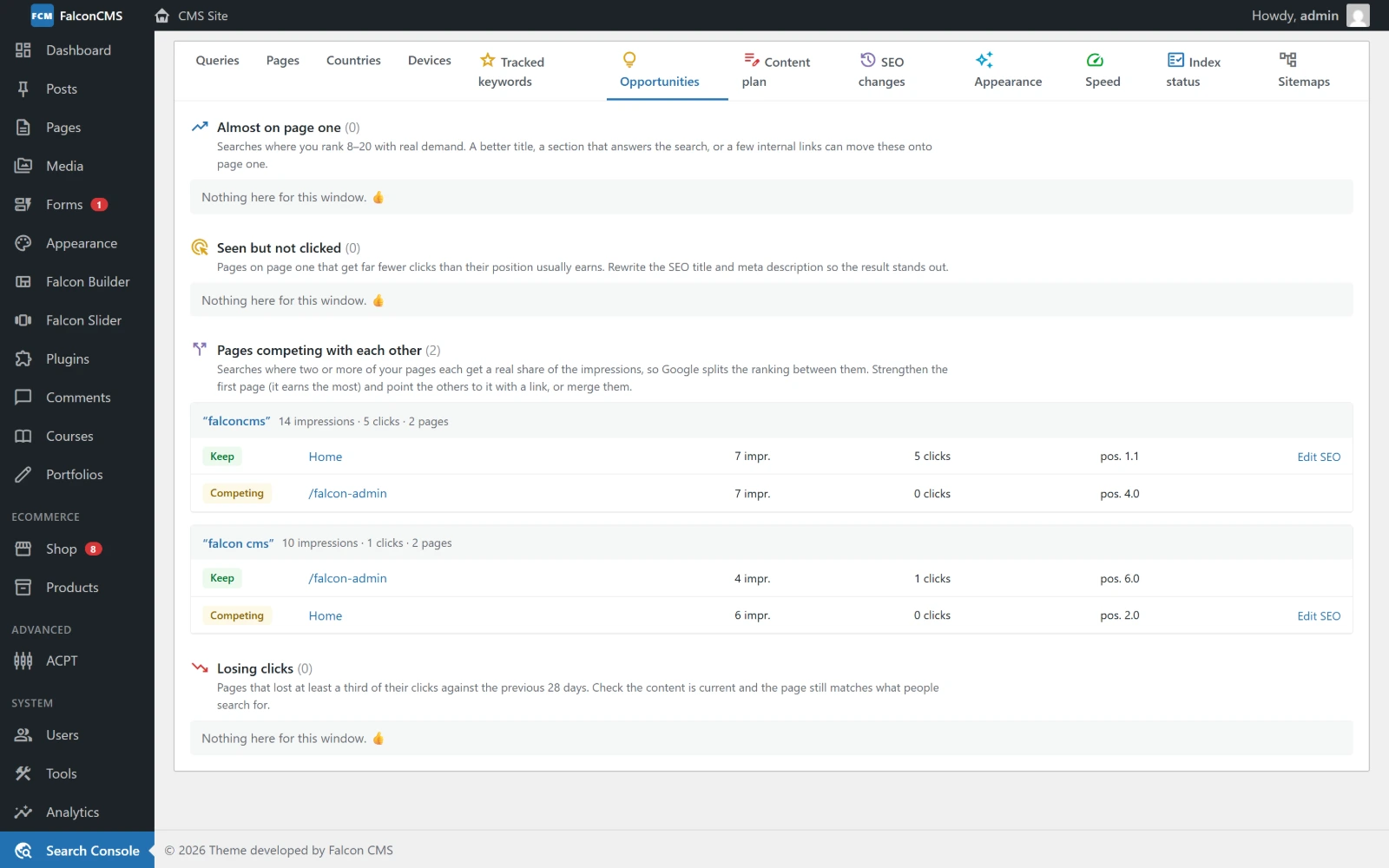
Searches just off page one, pages seen but not clicked, pages losing clicks, and pages competing with each other.
- Almost on page one: searches where you rank 8–20 with real demand. A better title, a section that answers the search, or a few internal links can move them up.
- Seen but not clicked: pages on page one that get far fewer clicks than their position usually earns. Rewrite the title and description.
- Losing clicks: pages that lost a third of their clicks against the previous period.
- Pages competing with each other: searches where two of your pages split the ranking. Keep the stronger one and link the other to it, or merge them.
Content plan
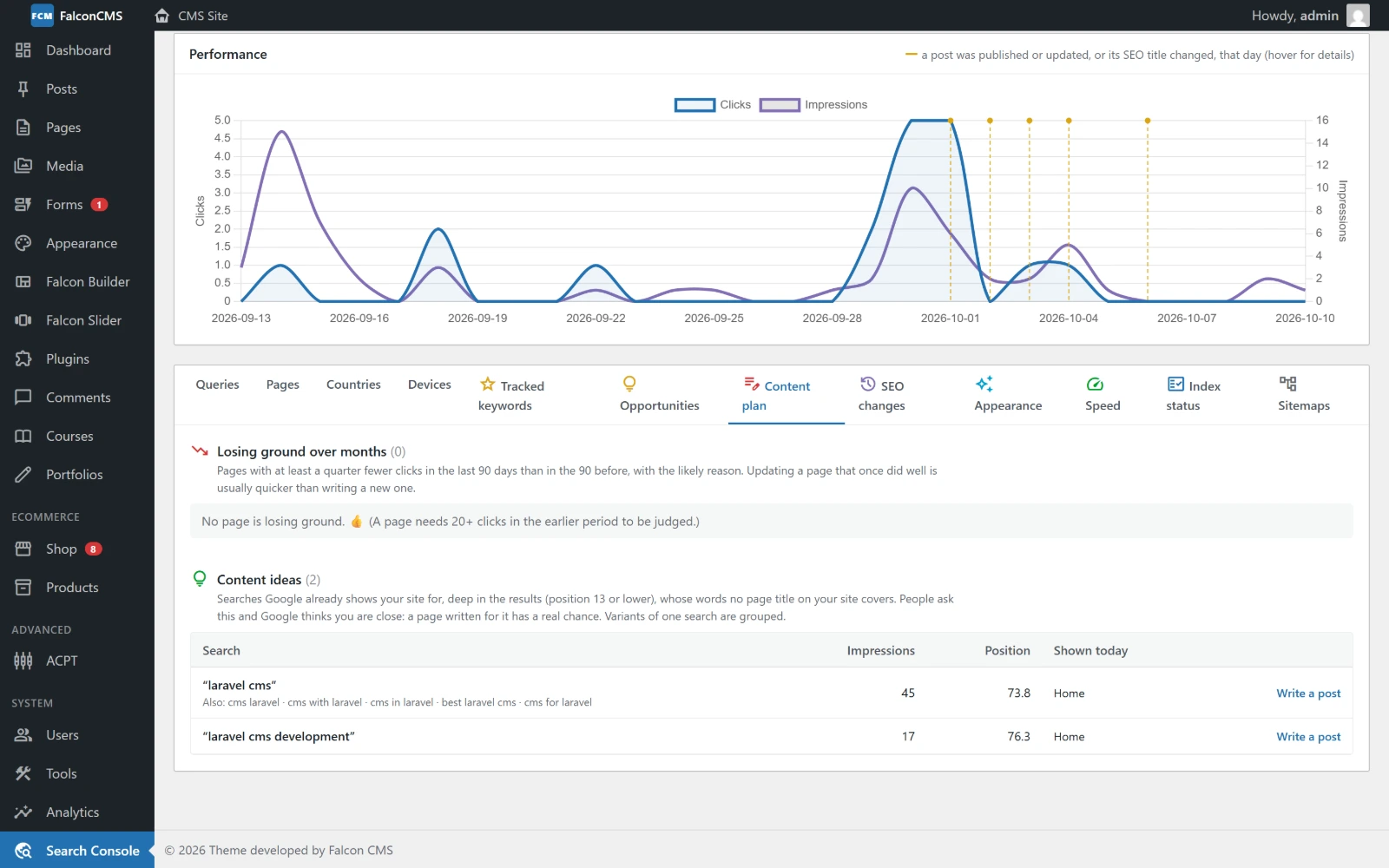
Pages losing ground with the likely reason, and searches you are shown for but have no page about.
- Losing ground over months: pages with at least a quarter fewer clicks in the last 90 days than in the 90 before. Each comes with the likely reason, six months of clicks and when the page was last updated:
- lost ranking: others now answer the search better;
- fewer searches: a season or a fading topic;
- fewer clicks per view: the result looks less appealing;
- no longer shown: check Index status.
- Content ideas: searches Google shows your site for deep in the results (position 13 or lower) that no page title on your site covers. Variants of one search are grouped. Write a post opens a new post with the idea as its title.
Index status
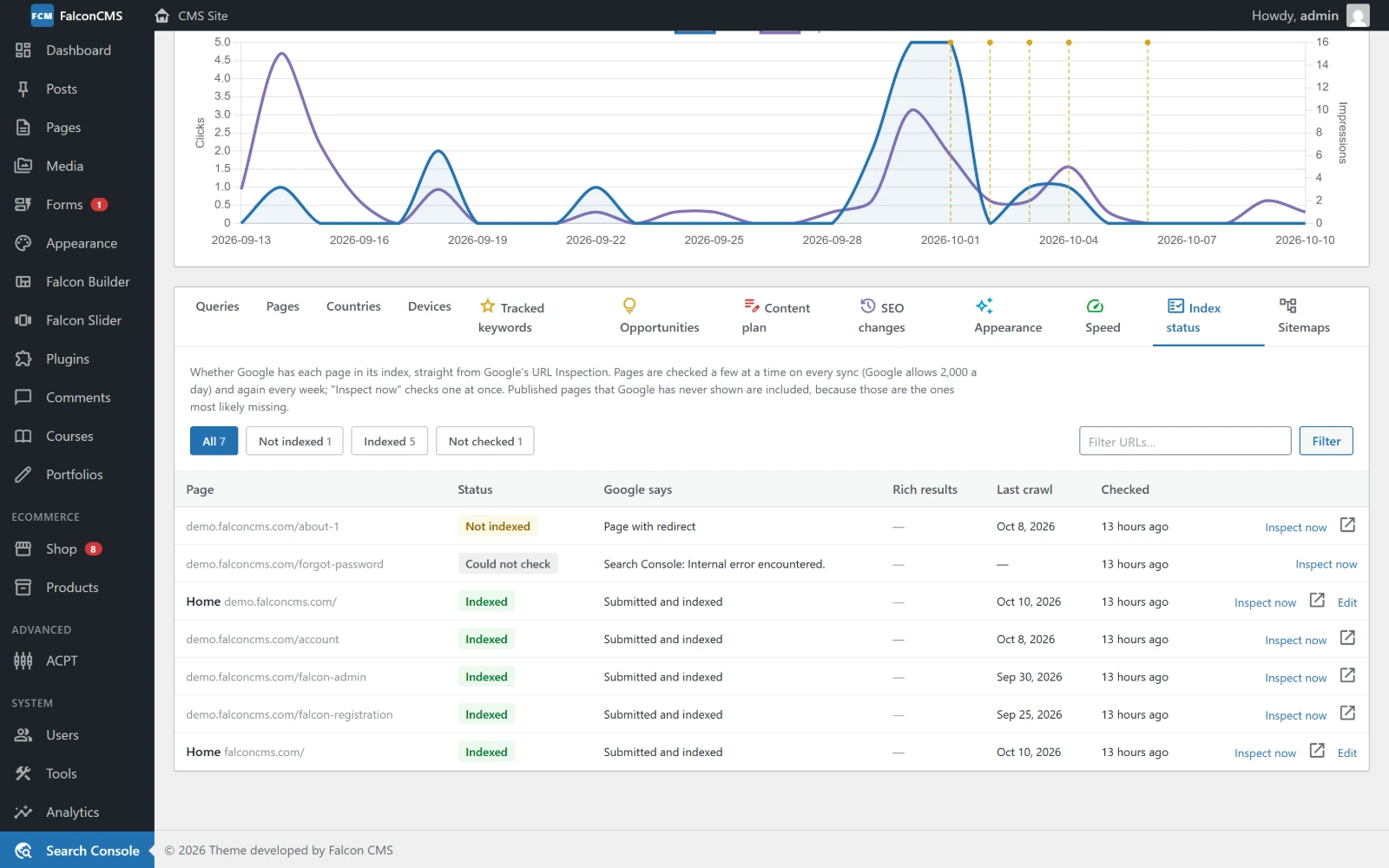
Each page's index status from Google's URL Inspection, with the reason a page is not indexed.
Pages are inspected in small batches (Google allows a limited number per day), newest and most visited first. Inspect now in the editor checks one page straight away.
Speed
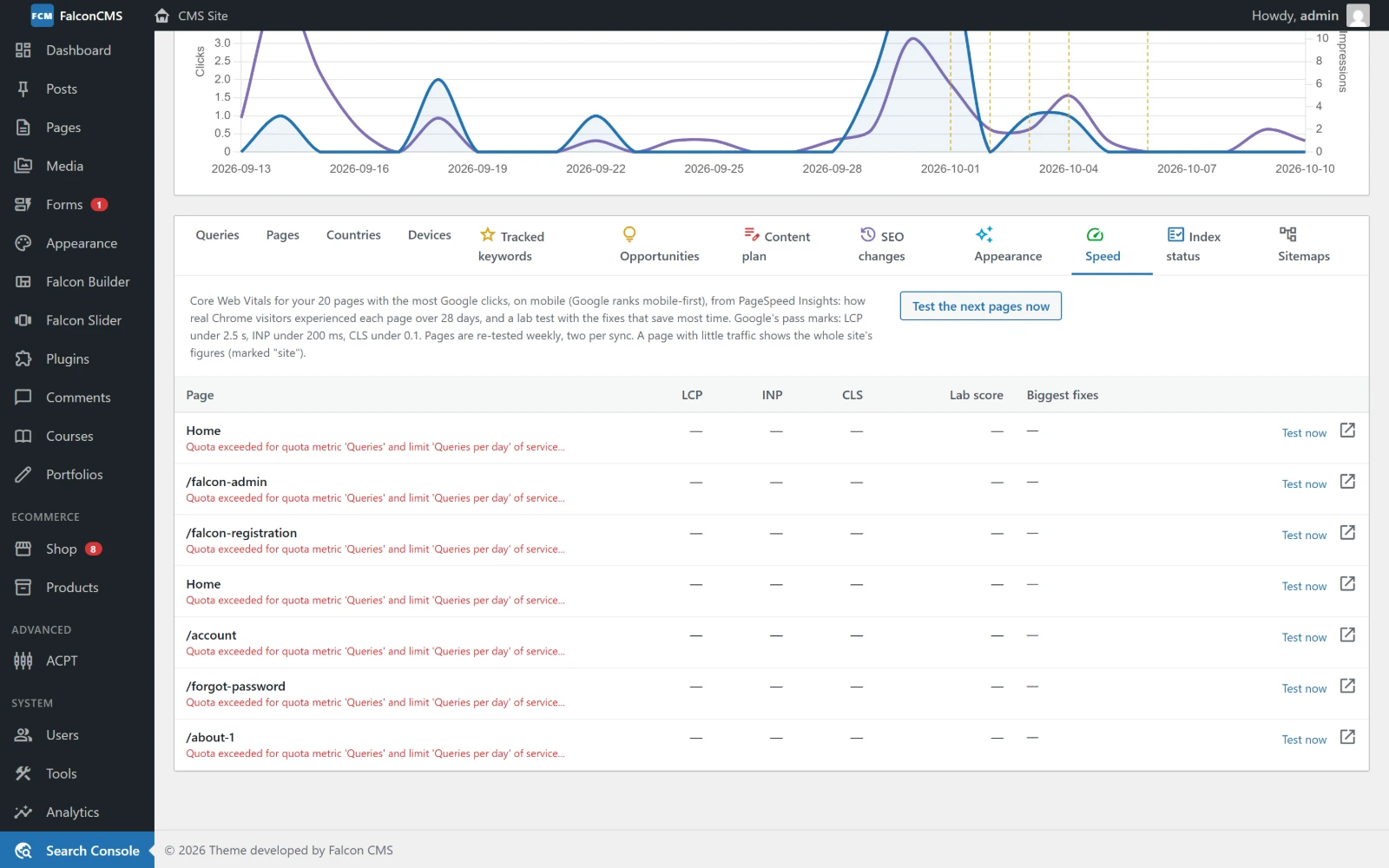
Real-visitor Core Web Vitals and a Lighthouse score for the top pages, with the fixes that save the most time.
The top 20 pages by clicks are checked with Google's PageSpeed Insights. You can add a free PageSpeed API key in the plugin settings for a higher daily limit. For your own visitors' speed, measured live, see Web Vitals.
In the editor
Every page and post that has Search Console data shows a Google Search card under its SEO settings.
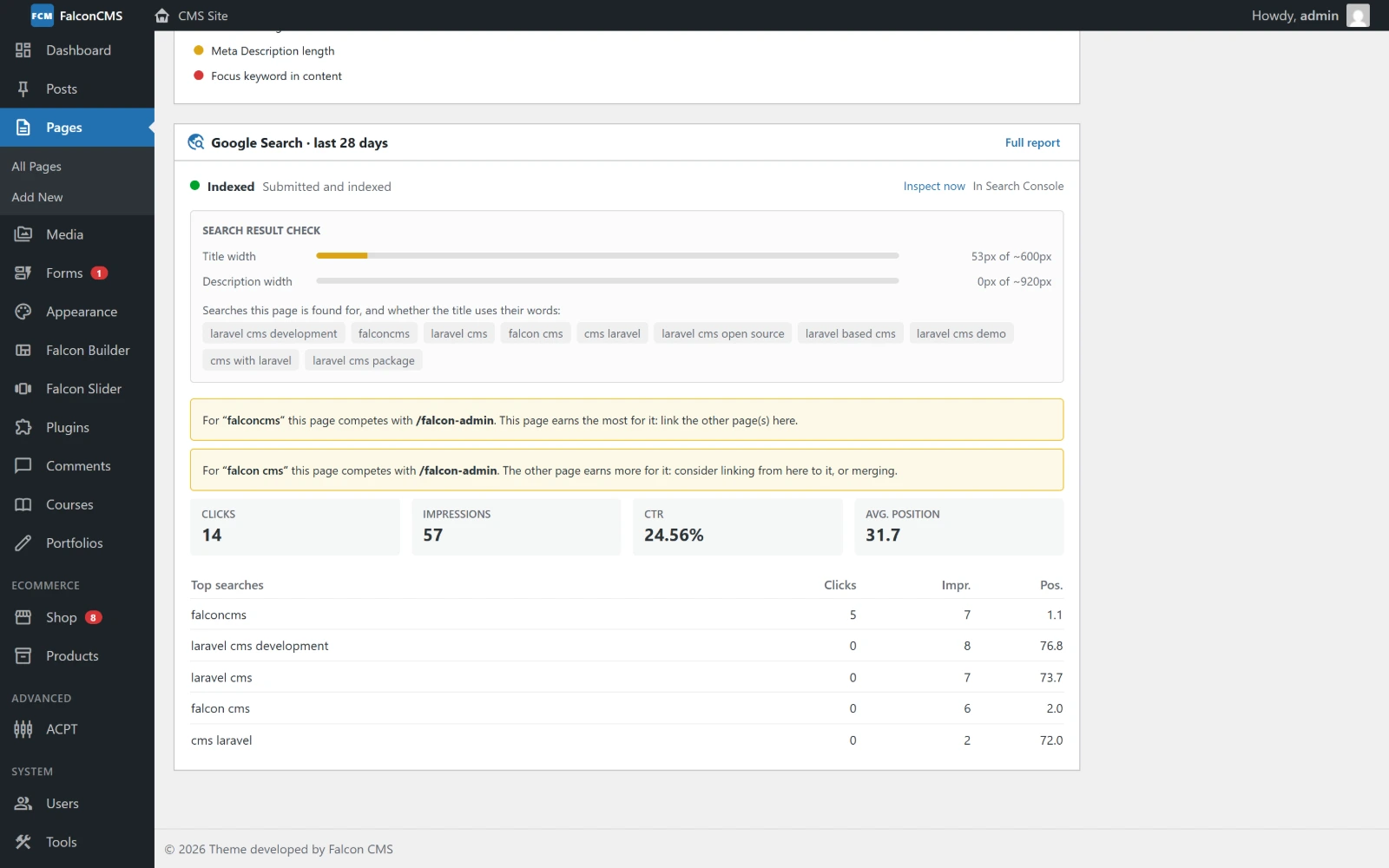
The page's index status, a search result check, pages it competes with, and its top searches.
- Index status, with Inspect now.
- Search result check: how wide the title and description are against what Google shows, and which of the page's searches use words that are missing from the title.
- Competing pages: searches where another of your pages also ranks.
- Clicks, impressions, CTR and position for the last 28 days, and the top searches.
The plugin also adds Google's view to the editor's Keywords and Internal Linking tabs.
Elsewhere in the admin
- Dashboard: a Search Console card with the last 28 days, and a link to the opportunities.
- Posts and Pages lists: each row's index status and clicks in the SEO column.
- SEO Audit: "Not in Google's index", with Google's reason for each page.
- Alerts: a notice when a page's clicks drop sharply.
- Weekly email: a summary every Monday morning (
falcon:gsc-report).
Who can see it
Access is the Manage Search Console permission (manage_search_console), which you can give to any role under Users → Roles.